News
Visual Studio Codespaces Private Preview Woos C++ Developers
Microsoft announced a private preview of Visual Studio Codespaces, which eases the setup and use of cloud-powered development environments that can be used from anywhere for remote development and other scenarios.
Formerly called Visual Studio Online, the project was renamed Visual Studio Codespaces earlier this year amid the COVID-19-driven remote work surge.
Visual Studio Codespaces takes care of development environment setup and maintenance drudgery with cloud-powered computing power that configures:
- Runtimes
- Compilers
- Debuggers
- Editors
- Custom dotfile configurations
- Editor extensions
- Project source code
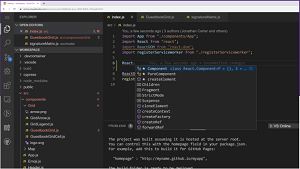 [Click on image for larger view.]
Visual Studio Codespaces
[Click on image for larger view.]
Visual Studio Codespaces
While the cloud powers the back-end developer environments, the front-end tools used for Codespaces include a browser-based editor, the open source, cross-platform Visual Studio Code editor and the full-fledged flagship Visual Studio IDE.
Microsoft said a public preview of Visual Studio Online resulted in users finding that:
- The time it takes to onboard to new projects (or new tasks within an existing project) is much shorter
- The performance of their cloud dev environment in many ways feels better than their local environment
- The ability to easily switch between Visual Studio Code, the browser-based editor, or the Visual Studio IDE (in private preview) gives them the flexibility to work from just about any device
- It's easy to collaborate with others since Live Share is built-in for co-authoring, editing, and debugging.
This week, Microsoft's C++ development team announced a private preview of Visual Studio support for Codespaces.
"At the Microsoft Build conference, you may have seen our C++ Codespaces demo (at 26:00). We showed several ways Codespaces can improve your C++ development experience, including offloading your builds and other compute-heavy tasks to the cloud," Microsoft said in an August 3 blog post. "We've already been chatting with many you, and now we are ready to allow more people into the Private Preview. Currently, our support is focused on C++ console applications and library development, so if that sounds like you, sign up for the Private Preview (and make sure to indicate “C++” as your Preferred Dev Language)."
The above link points to a "Visual Studio Private Preview" page where developers can "get early access to upcoming capabilities and services," including Visual Studio Codespaces, Rich Code Navigation and AI-assisted Development, by providing registration information. The site says applicants will receive information, tips and resources about Visual Studio and will be contacted to participate in the private preview and provide feedback.
About the Author
David Ramel is an editor and writer at Converge 360.