News
VS Code Java Team Improves 'Getting Started' Experience
Microsoft's dev team responsible for the Java on Visual Studio Code extensions released a new update that eases the "getting started" experience, addressing feedback from new users who want an easier onramp.
Support for Java in Visual Studio Code is provided through a wide range of extensions, many of which are bundled in the Java Extension Pack.
"Sometimes, you don’t know which extensions to install per your project type, or sometimes, you don’t know where to find familiar commands for project management," said Yaojin Yang, senior program manager in the Developer Division at Microsoft, in an August 12 blog post. "Whether you are a student or professional developer, we understand how important getting started experience is, especially when exploring or adopting a new tool or undertaking a new task."
To that end, the team introduced two new features:
-
Project view: This provides a single view of all project management-related functions so developers can more easily organize and configure assets such as dependencies, set up environments and so on.
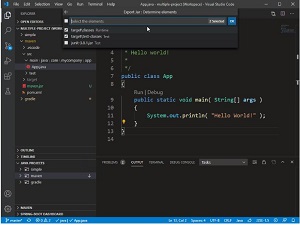 [Click on image for larger, animated GIF view.] Exporting to JAR in Action (source: Microsoft).
The new view is actually provided via the old Java Dependency Viewer extension, which has been renamed the Project Manager for Java extension and updated with two new features for creating Java projects and exporting to JAR.
- Extension Guide: "Extension Guide is an embedded portal that maintains a list of curated extensions, and recommends and facilitates extension installation per your needs," Yang said. "Recommendations are categorized into Basics, Frameworks, Application Servers, and Keymaps. Please check out the Extension Guide by running command 'Java: Extension Guide' or 'java.extGuide' using the command palette."
The latest work to ease the "getting started" with Java experience in VS Code continues an ongoing effort that was exemplified by an update last year that sought to do the same thing via a quick start guide and other functionality invoked with the command: Java:Getting Started.
Debugging Java code has also been improved with support for "Just My Code," which instructs the debugger to only step through user code as opposed to system, framework and other non-user-code calls.
Another new Java debugging improvement introduces new functionality within the variables viewlet:
- Return value of a method
- Copy value
- Copy as expression
- Add to watch
A few other improvements mentioned by Yang include:
- Go to Super Implementation
- Refactoring helper
- Lightweight mode improvements
Microsoft guidance on programming with Java in VS Code includes the tutorial, "Getting Started with Java in VS Code."
About the Author
David Ramel is an editor and writer at Converge 360.