News
As New Visual Studio Extension Manager Previews, Mads K Floats New Tool Ideas
Just as a new extension manager for Visual Studio 2022 was announced in preview, Microsoft's Mads Kristensen, a principal program manager for the IDE and extension author extraordinaire, floated some new ideas for new tools and functionality.
The new extension manager, which was announced with the just-released Visual Studio 2022 17.9, sports a new UI and provides a new way to manage extensions.
Specifically, the new design maximizes space to show pertinent content when searching for extensions. Now, a large window shows the detailed description for a selected extension.
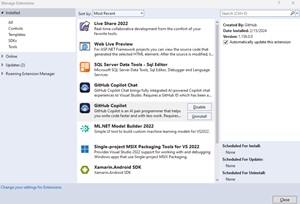 [Click on image for larger view.] The Old Look (source: Ramel).
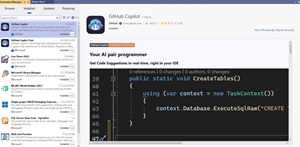 [Click on image for larger view.] The New Look (source: Ramel).
The new design also introduces search filters to help narrow down the list of extensions. For example, as shown in the screenshot below, devs can filter by category (Controls, Templates, Tools) and subcategory (Coding, Data, Documentation and more).
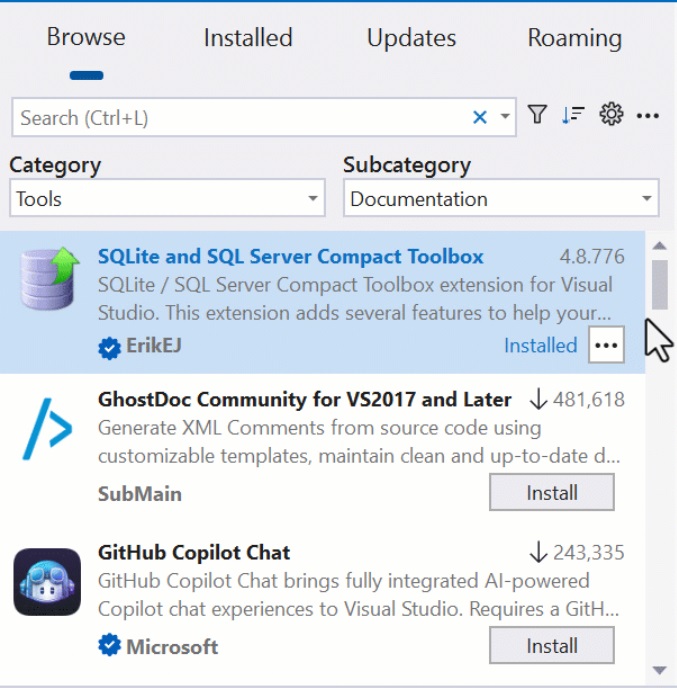 [Click on image for larger, animated GIF view.] New Extension Manager Filtering in Animated Action (source: Microsoft).
As the new Extension Manager is a preview feature, it must be enabled in the IDE's settings by clicking on Tools > Manage Preview Features and checking the box for Extension Manager UI Refresh (requires restart).
Meanwhile, around the time the new extension manager was being announced, Kristensen, who has authored more than 100 Visual Studio extensions, took to social media to float some new ideas for new tools and functionality.
Here are some of the ideas he shared recently:
- Displaying return values of functions/methods when debugging in Visual Studio would be helpful. If you agree, vote here (During Debug Display Function Return Value):
- What do you feel about this proposal for a tweak to the C# quote completion feature in Visual Studio? That proposal is for his "Better Quotes" tool whose description reads: "Fixes the issue where typing a quote character before or after a word, causes auto-insertion of a second quote character in C#. This is a common nuisance when typing in Visual Studio...."
- Is this a good idea? If you are curious, try it out yourself. That link points to his EmojiSense tools, whose description reads: "IntelliSense for emojis in code comments and string for all languages."
Functionality provided by Kristensen's extensions often gets natively baked in to the Visual Studio IDE, so it's possible that some of these ideas could be implemented in the future. In the meantime, he has continually been posting about new tools he has created (or found), with recent posts including:
As Visual Studio 2022 17.10 is now in the works (see "Copilot Chat Highlights Visual Studio 2022 17.10 Preview 1"), stay tuned to see if any of these ideas are realized in that release -- and vote for features you like.
About the Author
David Ramel is an editor and writer at Converge 360.