News
WinUI 3 Gallery 2.9 Highlights Windows App SDK 2.0 for App Developers
Microsoft has released WinUI 3 Gallery 2.9, positioning the update as the first version of the Gallery built on Windows App SDK 2.0.
The Gallery is Microsoft's sample and reference app for WinUI 3 controls, samples, design guidance and developer tools. With version 2.9, the main change is that the app itself has been upgraded to Windows App SDK 2.0, giving developers a way to test the SDK's latest WinUI-related capabilities in a working app rather than starting from a blank project.
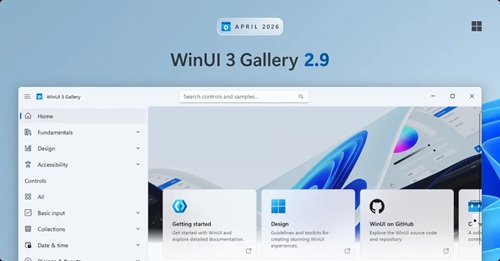 [Click on image for larger view.] WinUI 3 Gallery 2.9 (source: Microsoft).
Microsoft said the release gives developers "a first-hand look at the latest controls, APIs, and improvements" in Windows App SDK 2.0. The company also said the Gallery remains "the easiest way to play with what's new in WinUI without spinning up a project of your own."
Windows App SDK 2.0 Samples
The most notable new sample is for SystemBackdropElement, which extends how developers can use Fluent materials such as Mica and Acrylic in WinUI apps. Microsoft said system backdrops had previously been applied at the window level, while SystemBackdropElement lets developers use those materials "as a regular XAML element" and place them "anywhere in your visual tree."
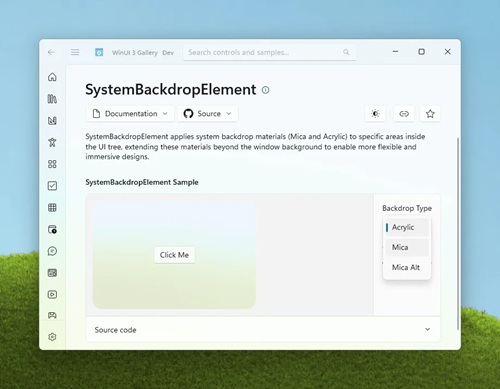 [Click on image for larger view.] SystemBackdropElement Sample (source: Microsoft).
That change gives developers more control over where Mica and Acrylic appear in an application interface. Microsoft said developers can use Acrylic on custom surfaces such as flyouts, panes, sidebars, cards or custom controls. The announcement also notes that developers can make a window background fully transparent and use SystemBackdropElement to draw Acrylic or Mica only on selected areas of the interface.
The 2.9 release also adds a SplitMenuFlyoutItem sample, showing how to add split-button-style items to menu flyouts so a control can include both a primary action and a related submenu. Another new sample demonstrates IXamlCondition, which lets developers define custom conditions that work with XAML's conditional namespace syntax and are evaluated when XAML is parsed.
Additional Gallery Updates
Other changes include two new NavigationTransitionInfo options in the page transition sample, a ConnectedAnimation sample with ItemsRepeater, local file playback support in the MediaPlayerElement sample, and updated descriptions for Mica and Acrylic on the System Backdrops page.
Microsoft also credited community contributors for work included in the release and pointed developers to the Microsoft Store version of the Gallery and the project's GitHub repository.
About the Author
David Ramel is an editor and writer at Converge 360.