Trying Out the OData/WCF Data Services Upgrades
Microsoft recently updated the Open Data Protocol (OData) and WCF Data Services framework and just last week provided some demo services so data developers can try out the new features.
The WCF Data Services 5.0 release offers libraries for .NET 4 and Silverlight 4 and a slew of new client and server features, including support for actions, vocabularies, geospatial data, serialization/deserialization of OData payloads, "any" and "all" functions in queries and more (including a new JSON format).
OData, now at version 3, is the Web protocol for querying data using HTTP, Atom Publishing Protocol (AtomPub) and JSON, released by Microsoft under the Open Specification Promise so third-party and open-source projects can build clients and services for it. Documentation for V3 is now available.
The three new V3 demo services include simple read-only and read-write models for Products, Categories and Suppliers, and a read-only service that exposes the trusty Northwind database.
The new support for actions looks promising, providing for example, a Discount action for Products that takes a discountPercentage integer as a parameter and decreases the price of the product by that percentage, as shown on the demo services page.
But I decided to quickly try out something a little simpler just as a proof of concept: the new "any" and "all" operators. They allow tacking onto URLs filters such as this example shown on the demo services page:
http://services.odata.org/V3/OData/OData.svc/Categories?$filter=Products/any(p: p/Rating ge 4)
As WCF Data Services supports LINQ, I experimented with the "any" and "all" operators in a LINQ query via a Visual Studio project, using the MSDN Library Quickstart here.
I changed this query:
var ordersQuery = from o in context.Orders.Expand("Order_Details")
where o.Customer.CustomerID == customerId
select o;
to this query (note the use of the "All" operator):
var ordersQuery = context.Orders.Expand("Order_Details")
.Where(c =>
c.Order_Details.All (p =>
p.Quantity > 50));
Sure enough, this query didn't work with the old Northwind service, but it worked after simply inserting "V3" into the service URL so it looks like:
http://services.odata.org/V3/Northwind/Northwind.svc/
Fig. 1 shows the result of my efforts, in a WPF application showing customer orders with a quantity of more than 50.
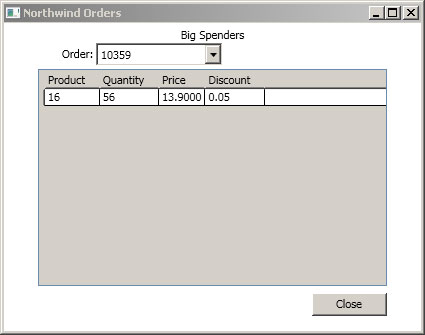 |
Figure 1. A WPF app successfully pulls Northwind orders via a LINQ query using the new "Any" operator. (Click image to view larger version.) |
Without the "V3" in the service URL, though, you get an error message (see Fig. 2).
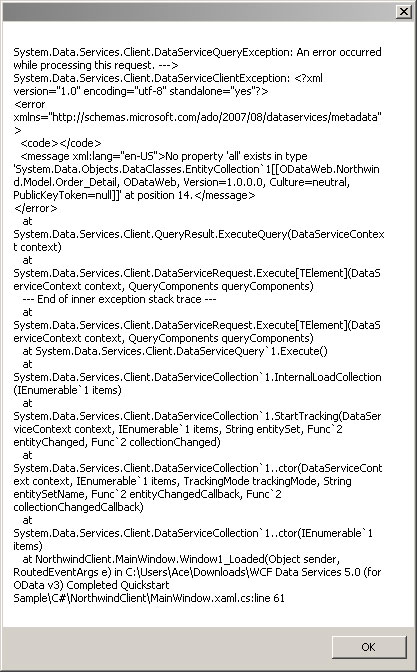 |
Figure 2. Not using the new V3 OData service results in an error. (Click image to view larger version.) |
I recommend the Quickstart as an easy way to experiment with the new OData features, but you have to plug them in yourself because it doesn't use them, though it does require WCF Data Services 5. The completed project files are available if you don't want to go through the whole process of creating each project and just plug new feature functionality into them, as I did.
More improvements may be coming soon, as WCF Data Services, as the team is now using "semantic versioning" and NuGet, as have other products, such as Entity Framework. One reader asked about support for "Join," while Microsoft's Glenn Gailey has a list of improvements he'd like to see, including support for enums, client JSON support, functions and more (note that this wish list is included in a post of his favorite things that did make it into the new versions).
Share your thoughts on the new versions of OData and WCF Data Services. Comment here or drop me a line.
Posted by David Ramel on 05/14/2012