News
Xamarin Mobile Developers Get XAML Hot Reload in Visual Studio 2019 v16.4
Xamarin mobile developers using Visual Studio gained some functionality common to other IDEs as XAML Hot Reload for Xamarin.Forms was introduced with the new Visual Studio 2019 v16.4 release.
Visual Studio 2019 v16.4 shipped last week, including support for .NET Core 3.1 and multiple Xamarin goodies.
"XAML Hot Reload for Xamarin.Forms is now generally available (GA), enabling you to make changes to your XAML UI and see them reflected live, without requiring another build and deploy," said Pierce Boggan, senior program manager, Mobile Developer Tools, in a Dec. 5 blog post. "XAML Hot Reload for Xamarin.Forms speeds up your development and makes it easier to build, experiment, and iterate on your user interface. You no longer have to rebuild your app each time you tweak your UI – it instantly shows you your changes in your running app.
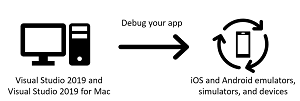 [Click on image for larger view.] XAML Hot Reload (source: Microsoft).
"Because your application is compiled using XAML Hot Reload, it works with all libraries and third-party controls, is available for iOS and Android, and works on all valid deployment targets, including simulators, emulators, and physical devices. For more information, check out the XAML Hot Reload for Xamarin.Forms documentation."
As we reported earlier, similar functionality is already found in alternative tooling such as React Native and Flutter.
Other new Xamarin functionality and features in Visual Studio 2019 v16.4 mentioned by Boggan include:
- Android App Bundle Publishing: "We heard your feedback that you wanted smaller Android APKs. With Visual Studio 2019 version 16.4, we have introduced support for the Android App Bundle publishing format. App Bundles provide users with with optimized APKs per their device specifications when downloading an app from the Google Play Store or various Android App Stores."
- Android X Migration Wizard: "The Android Support Library has had a long history of over the last 7 years providing backwards compatibility to Android framework APIs. Over the years, this library has grown in adoption as the majority of Android apps in the Google Play Store use the Support Library in some fashion today. AndroidX packages are the next generation of Android Support Libraries which includes simplified package names to better reflect each package’s content and it’s supported API levels. Because AndroidX is a redesign of the Android Support Library, it includes migration steps that will affect Android applications built with the Android Support Library."
About the Author
David Ramel is an editor and writer at Converge 360.