News
GrapeCity Updates Controls for .NET 5
GrapeCity updated its suite of controls for .NET development to support the new .NET 5 milestone release that seeks to unify all of the disparate .NET offerings under one umbrella framework.
The Pittsburgh company sells .NET controls as part of its ComponentOne offering, providing more than 400 extensible datagrids, charts, reports, input, schedulers, calendars, ribbons and more for WinForms, WPF, UWP, ASP.NET MVC, Blazor, Xamarin, and .NET Core.
This week, GrapeCity announced ComponentOne now supports .NET 5 across the entire ASP.NET Core and Blazor control toolkit and includes new .NET 5-based WinForms and WPF controls.
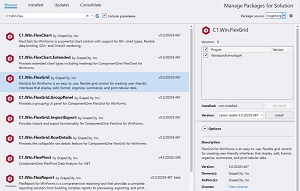 [Click on image for larger view.] .NET 5 Controls (source: GrapeCity).
"NET 5 is the most significant advancement for .NET desktop development in the past decade," the company said in a news release. "This new technology brings many new capabilities to applications, including single-file applications, performance improvements (like 20 percent faster JSON serialization), web and cloud investments, ARM64 support and much more.
".NET 5 is a step forward for desktop applications built on WinForms and WPF because it unifies development across the web, cloud, mobile, and gaming by providing a single .NET runtime and SDK. Merging the .NET framework, .NET Core, and Xamarin/Mono will improve developers' work by providing components for the many different versions of .NET."
The controls are now available via NuGet or GitHub, although the company's full ComponentOne 2020 v3 release is scheduled to launch next month.
GrapeCity is one of several third-party tooling vendors that Microsoft mentions in its documentation for Blazor, the company's red-hot ASP.NET Core component for building web projects with C# instead of JavaScript. The others are Telerik, DevExpress, Syncfusion, Radzen, Infragistics and jQWidgets.
The company's roadmap, .NET 5 highlights, a full list of WinForms and WPF controls that are available now for .NET 5 and known issues are available in a blog post.
About the Author
David Ramel is an editor and writer at Converge 360.