News
Azure Machine Learning Experience Improved in VS Code
Microsoft dev teams for Azure Machine Learning (Azure ML) and Visual Studio Code have improved the developer experience in the super-popular, open source-based, cross-platform code editor.
An update improves the experience for developers using compute instances (which provide a cloud-based, optimized ML development environment in Azure ML) and notebooks such as Jupyter, JupyterLab or Azure ML notebooks.
Affected are users working with compute instances who want to run notebooks against more powerful machines without having to use SSH and connect to remote servers. Microsoft provided that ability last year, baking in authentication instead of having to rely on SSH. However, that ability came with some loss of functionality concerning VS Code features such as the remote terminal, debugger and language server.
Users were frustrated that they had to work in a single Notebook file, couldn't view files on a remote server and couldn't use some favorite extensions.
Hence the update announced last month by Sid Unnithan, who said, "Learning from prior releases and talking to users led the Azure ML and VS Code teams to build a complete VS Code experience for compute instances without using SSH."
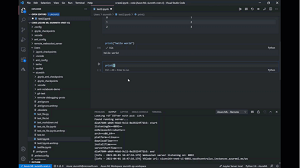 [Click on image for larger, animated GIF view.] Working with Azure ML in VS Code in Animated Action (source: Microsoft).
Now, users in the Azure ML Studio UI (a web portal with low-code and no-code options for project authoring and asset management) have links -- "Edit in VS Code (preview)" -- to hop into VS Code, which can be clicked from Compute Instance and Notebook tabs. The improved Azure ML/VS Code integration provides these features and benefits:
- Full integration with Azure ML file share and notebooks: All file operations in VS Code are fully synced with the Azure ML Studio. For example, if a user drags and drops files from their local machine into VS Code connected to Azure ML, all files will be synced and appear in the Azure ML Studio.
- Git UI Experiences: Fully manage Git repos in Azure ML with the rich VS Code source control UI.
- Notebook Editor: Seamlessly click out from the Azure ML notebooks and continue to work on notebooks in the new native VS code editor.
- Debugging: Use the native debugging in VS Code to debug any training script before submitting it to an Azure ML cluster for batch training.
- VS Code Terminal: Work in the VS Code terminal that is fully connected to the compute instance.
- VS Code Extension Support: All VS Code extensions are fully supported in VS Code connected to the compute instance.
- Enterprise Support: Work with VS Code securely in private endpoints without additional, complicated SSH and networking configuration. AAD credentials and RBAC are used to establish a secure connection to VNET/private link enabled Azure ML workspaces.
"It is now easier than ever to work directly on your Azure ML compute instances from within Visual Studio Code, and with full access to a remote terminal, your favorite VS Code extensions, Git source control UI and a debugger," Unnithan said.
The Azure Machine Learning for Visual Studio Code extension available in the VS Code Marketplace, still in preview, has been installed more than 210,000 times.
About the Author
David Ramel is an editor and writer at Converge 360.