News
Pylance Now Default Language Server for Python in Visual Studio Code
Pylance is now the default language server for Python in Visual Studio Code, providing IntelliSense functionality as of the May 2021 release of the Python Extension for VS Code.
Language servers come via extensions that implement the Language Server Protocol to provide language-specific "smarts" in the editor such as autocomplete, error-checking (diagnostics), jump-to-definition and many other language-specific features. Those extensions make the super-popular VS Code a jack-of-all-trades tool for working with C#, C++, Java and many more.
Yesterday, (May 10), Python extension dev team announced Pylance is the default language server, supplanting the Microsoft Python Language Server announced way back in 2018.
No such language server is more important to VS Coders than Pylance, as it is now bundled as an optional offering with the core Python extension that has been installed a whopping 35.5 million times, way more than any other tool.
Pylance, named after a character in a Monty Python movie, is based on a Microsoft static type checker called Pyright.
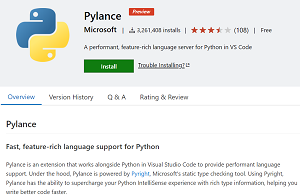 [Click on image for larger view.] Pylance (source: VS Code Marketplance).
Pylance was announced in July 2020. A couple months later, Microsoft said, "If you are a VS Code user, we recommend that you uninstall Pyright and instead install Pylance," Microsoft says. "You will get all the benefits of Pyright and more!"
Those benefits include:
- Docstrings
- Signature help, with type information
- Parameter suggestions
- Code completion
- Auto-imports (as well as add and remove import code actions)
- As-you-type reporting of code errors and warnings (diagnostics)
- Code outline
- Code navigation
- Type checking mode
- Native multi-root workspace support
- IntelliCode compatibility
- Jupyter Notebooks compatibility
- Semantic highlighting
"Today, we're excited to announce that the Python extension's default language support is now powered by Pylance, said Savannah Ostrowski, program manager for Python and its VS Code language server. "This upgrade provides what we believe is the most performant and user-friendly Python editing experience for Visual Studio Code ever.
"If you've been following along with our releases over the last year, we've been making dramatic improvements to Python language support via the Pylance extension. As of this release, we've included the Pylance extension as an optional dependency for the core Python extension. This means that you'll get the latest and greatest language support right out of the box with the Python extension (no separate install needed!)."
She said the dev team has been working on improving VS Code language server functionality across the board, including the open source Jedi language server, which -- along with any other language server -- can still be installed if developers prefer. Unlike Jedi, Pylance is not open source, though it does sport a GitHub repo for providing feedback and documentation. "We are committed to maintaining open-source language support options for our users in the future," Ostrowski said.
Other highlights of the release include:
- Faster extension startup time: 10 percent faster load times for Windows and macOS users, and 20 percent faster for Linux users.
- New debugger feature: live reload for Python scripts: "If you ever made changes to your code after the debugger execution has hit a breakpoint, and you wished those changes were applied without the need of reloading the debugger, this update is for you!"
- Other changes and enhancements and their associated GitHub issues include:
- Add a “Default” language server option, which dynamically chooses which language server to use. (#16157)
- Automatically indent following "match" and "case" statements. (#16100)
- Add Python: Refresh TensorBoard command (#16053)
- Added compatability with pypy3.7 interpreter. (#15968)
About the Author
David Ramel is an editor and writer at Converge 360.