News
Microsoft's PowerShell Dev Team Helps Fix OmniSharp
In announcing an update to the PowerShell extension for Visual Studio Code, Microsoft's dev team revealed it helped fix the latest edition of the OmniSharp C# Language Server Protocol in a month-long effort. One of the bugs fixed would have broken the debugger, while the other affected startup reliability.
The LSP defines how a language server works with an IDE/editor, effectively providing language-specific "smarts" like auto complete, go to definition, find all references and so on.
The C# Language Server Protocol is an open source project that's just one tool in the arsenal of OmniSharp, described as a family of projects designed to enable a great .NET experience in various editors/IDEs.
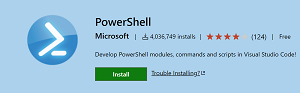 [Click on image for larger view.] The VS Code PowerShell Extension (source: Microsoft).
The VS Code PowerShell extension uses the OmniSharp LSP library and Debug Adapter Protocol (DAP) server library, said to be the tool's biggest dependency. It helps users develop PowerShell modules, commands and scripts in VS Code. In a new update of the PowerShell extension, the team used the latest update to OmniSharp, v0.19.2. In doing so, the team found the bugs, which it helped fix.
"After our initial upgrade to OmniSharp v0.19.0, as early adopters we encountered two major bugs in the library," revealed a June 2 blog post announcing the May 2021 update to the extension. "Rob [Holt] and Andy [Schwartzmeyer] spent a month identifying and solving a serialization bug in the Debug Adapter Protocol which would have broken the extension's debugger, and a race condition which temporarily impacted startup reliability in the preview extension. As our fixes went upstream, we improved the OmniSharp library not only for the PowerShell extension, but also for several other Visual Studio Code extensions similarly relying on OmniSharp."
Other highlights of the May 2021 update to the PowerShell extension detailed in the announcement include:
The extension in the VS Code Marketplace has been installed more than 4 million times, earning and average 3.8 rating (scale to 5) from 124 developers who reviewed it. It provides:
- Syntax highlighting
- Code snippets
- IntelliSense for cmdlets and more
- Rule-based analysis provided by PowerShell Script Analyzer
- Go to Definition of cmdlets and variables
- Find References of cmdlets and variables
- Document and workspace symbol discovery
- Run selected selection of PowerShell code using F8
- Launch online help for the symbol under the cursor using Ctrl+F1
- Local script debugging
- Integrated console support
- PowerShell ISE color theme
The tool's development is carried out on GitHub.
About the Author
David Ramel is an editor and writer at Converge 360.