News
What's New for Java in Microsoft Dev Tooling
Microsoft is continuing to push its Java tooling across its properties, with two main targets being Visual Studio Code and the Azure cloud.
Despite stewarding its own popular programming languages like C# and TypeScript, the company has gone all in on Java, proclaiming that "We use more Java than one can imagine." Beyond that, the Java on Azure team spends a lot of development time on a competitor's product -- the IntelliJ IDE (or IntelliJ IDEA) from JetBrains -- as it maintains the Azure Toolkit for IntelliJ, which might be seen as a competitor to Visual Studio or VS Code.
Java is especially suited to cloud computing, and in the latest monthly update (December 2022) to Java on Azure tooling, one of the main new features is the introduction of SDK code samples for the Azure SDK Reference Book, which was unveiled earlier to help developers find relevant Azure SDKs and code samples while working in the IntelliJ IDE.
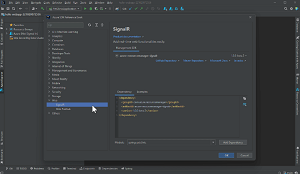 [Click on image for larger, animated GIF view.] Using the Azure SDK Reference Book in Animated Action (source: Microsoft).
Specifically, it lets developers view the following assets for SDK libraries:
- Indices
- Latest versions
- Reference docs
- GitHub samples
- Guidance links
- Dependency snippets
"It will allow developers to view the relevant code samples for SDK libraries in IntelliJ IDEA, copy and paste sample code into their project directly," the team said in an announcement last week. "With this enhancement, developers can keep their minds running without jumping from different documents."
Another new feature in Java on Azure tooling is a UX improvement for Azure Functions Core Tools, which helps coders develop and test functions on a local computer from the command prompt or terminal, while also supplying commands for creating functions, connecting to Azure and deploying Azure function projects, typically used in serverless computing.
New functionality includes a smooth tools installation process for scenarios in which a functions project runs locally for the first time, so that now, installing and configuring the tools happens automatically inside IntelliJ IDEA.
The team also added support for connections to Azure Database for MySQL/PostgreSQL and Azure SQL in Data Sources and Drivers in the IDE.
Java on Visual Studio Code Update -- December 2022
Here, the team followed up on last month's update in which it was revealed that there were now 2 million Java developers on VS Code. The Java on VS Code dev team manages the Extension Pack for Java.
A major new feature in the December 2022 update is a graphical memory view in the Spring Boot Dashboard, a lightweight VS Code extension that provides an explorer in the side bar to help developers view and manage all available Spring Boot projects in a workspace.
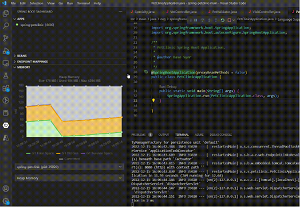 [Click on image for larger, animated GIF view.] Using Live Memory View in Animated Action (source: Microsoft).
"The memory view visualizes the memory and the garbage collection activities of a running Spring Boot application, much in the same way than the Spring Boot Dashboard already provides you with insights into running Spring Boot applications like active beans and request mappings," said the team, which listed these four graphical real-time visualizations available under the memory view:
- Heap memory -- provides a stacked overview of the different heap areas, the total memory used and total memory size in the JVM
- Non-heap memory -- displays a stacked overview of the different non-heap regions in JVM relative to the total memory used and total memory size
- Gc Pauses -- depicts the frequency and duration of pause time for a GC event
- Garbage Collection -- displays the count of the GC events in the application
Other highlights of the release include an improved error message prompt in two main scenarios: projects without build tools (unmanaged folder) and Maven projects.
About the Author
David Ramel is an editor and writer at Converge 360.