Q&A
Mission Copilot Autofix: Securing the World's Software with GitHub Advanced Security
As modern software development accelerates, so too must the tools that keep code secure. Developers are increasingly expected to integrate security practices directly into their daily workflows -- without compromising speed or productivity. GitHub Advanced Security (GHAS) aims to meet this challenge head-on by embedding powerful, developer-centric protections into the GitHub ecosystem.
At the upcoming Visual Studio Live! San Diego conference, principal trainer Randy Pagels of Xebia will lead a session titled "Mission Copilot Autofix: Securing the World's Software with GitHub Advanced Security." The session zeroes in on GHAS's growing suite of features -- such as CodeQL-powered code scanning, secret scanning push protection, and GitHub's latest autofix capabilities -- that are helping teams "shift security left" and detect vulnerabilities early in the software lifecycle.
Of particular interest is GitHub's new autofix feature, which uses AI to automatically suggest secure alternatives for vulnerable code. These suggestions appear directly within pull requests, enabling developers to validate and apply fixes with minimal friction. Add to that real-time secret scanning and comprehensive security visibility across repositories, and GHAS emerges as a compelling solution for organizations aiming to scale secure development practices without disrupting CI/CD pipelines.
In the Q&A that follows, Pagels shares insights into how these tools work, what types of threats they're designed to combat, and how teams can begin adopting them with minimal overhead.
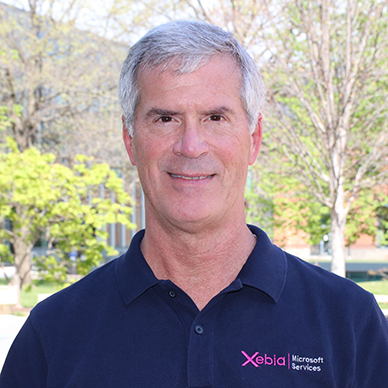 "GitHub's autofix uses AI to look at the vulnerable code and suggest a safer version right inside your pull request. Developers can review the change, test it locally or in CI, and decide whether to accept or tweak it -- just like any other code suggestion."
Randy Pagels, Principal Trainer, Xebia
VisualStudioMagazine: How does GitHub Advanced Security's autofix feature use AI to suggest secure code changes, and how can developers validate these suggestions?
Pagels: GitHub's autofix uses AI to look at the vulnerable code and suggest a safer version right inside your pull request. Developers can review the change, test it locally or in CI, and decide whether to accept or tweak it -- just like any other code suggestion.
What specific types of vulnerabilities can be detected and automatically remediated by CodeQL-powered code scanning in GHAS?
CodeQL scans for real security issues like SQL injection, hardcoded secrets, cross-site scripting (XSS), and unsafe deserialization. For supported languages, autofix can even suggest fixes. And with Security Campaigns, security teams can roll out those fixes across multiple repositories at once by automatically opening pull requests -- making it easier to drive org-wide remediation at scale.
How does secret scanning push protection operate in real time, and what happens when a developer attempts to push a secret-laden commit?
Push protection checks your code for secrets before the push goes through. If it finds something like an API key or token, it blocks the push and tells you exactly what it found so you can clean it up before trying again.
For teams adopting GitHub-native tooling, what are the most critical first steps to integrate security scanning without disrupting CI/CD pipelines?
Start by enabling code scanning with the default CodeQL workflow -- it runs quietly in the background and catches real issues. Add secret scanning next. No pipeline changes are needed to get started, and you can tweak settings as you go.
How does GHAS handle security visibility and reporting at scale across multiple repositories and teams, particularly in large enterprise environments?
GHAS rolls up alerts and metrics into a central Security tab, giving security teams a bird's-eye view across all repos, organization and enterprise wide. You can see trends, drill into issues, and track fixes -- all in one place. With Security Campaigns, you can now coordinate and track security fixes across your organization, making it easier to manage progress and impact.
What are the limitations of autofix today, and in what cases should developers expect to manually intervene despite security suggestions?
Autofix works best with well-understood patterns and supported languages. If the fix might break something or the code is complex, GitHub will still surface the issue but won't suggest a change -- you'll need to patch it manually.
How does GitHub's approach to security tooling differentiate itself from other platforms that support both GitHub and Azure DevOps?
GitHub's security tools are built right into the repo and pull request experience -- no plugins or extra setup. You fix issues where you code, using GitHub-native workflows. It's simple, fast, and made for developers. That said, a subset of the same powerful tools, like CodeQL and secret scanning, can also be used in Azure DevOps pipelines with some simple setup.
Note: Those wishing to attend the session can save money by registering early, according to the event's pricing page. "Save $400 when you register by the July 11 Super Early Bird deadline" said the organizer of the event, which is presented by the parent company of Visual Studio Magazine.
About the Author
David Ramel is an editor and writer at Converge 360.