In-Depth
How I Built a 'Journalist' AI Agent in VS Code to Replace Me
Having long ago seen the handwriting on the wall for the journalism profession with the debut of GenAI, I decided to just cut to the chase and build my replacement now.
Here's how you too can build and train your AI replacement -- customizable for a variety of professions -- using Visual Studio Code, its AI Toolkit extension, Microsoft Foundry, the Model Context Protocol (MCP) and GitHub Copilot, in my case guided by ChatGPT.
My goal for this proof-of-concept was straightforward: build an AI agent inside VS Code that can take a topic (for example, "Visual Studio Code 1.110 Insiders") and produce a usable first draft that links back to official sources and quotes original source material verbatim. It also filled out a Key Takeaways section, generated a summary for the web presentation and social media posts to promote the article, along with all the custom HTML tags needed for our CMS. The point was to prove that an editorial-style agent is feasible in the VS Code toolchain without requiring me to become a developer.
The PoC Setup: AI Toolkit + Tools + A Model
I started in VS Code with Microsoft's AI Toolkit and went directly to Agent Builder to create a new agent. Note that I have a GitHub Pro account, which is instrumental. I also have access to Microsoft Foundry, which is where I deployed the model that ultimately made the PoC work. The AI Toolkit experience is designed to let you connect tools and models from various sources, but the availability and limits of those resources can create friction, as I'll describe.
Here's a screenshot of the initial Agent Builder experience, which is where you configure your agent's instructions, tools, and model connections. The prompting surface for running the agent is actually in the Playground area.
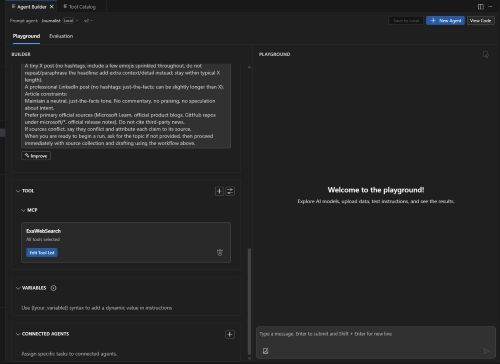 [Click on image for larger view.] Agent Builder (source: Ramel).
I named the agent and focused on two things:
- Instructions that describe an editorial workflow (find official sources, draft a short article, preserve verbatim quotes, include direct links). ChatGPT ginned that up for me.
- Tool connections that let the agent fetch sources on demand rather than relying on whatever the model "remembers."
Why the MCP Mattered for Editorial Work
The MCP was the most practical path to give an agent "reach" outside of the chat box. In Agent Builder, the tool dropdown presented two options:
- MCP Server - connect an MCP server exposing multiple tools/shared resources
- Custom Tool - create a single custom tool powered by your code or an API
I chose MCP because the intent was to let the agent search and retrieve sources as part of the workflow, not to hand-code a one-off integration.
In the "Add MCP Server to Agent" experience, I was presented with a command-palette-like picker at the top with the prompt: "Add an MCP Server from AI Toolkit, use Visual Studio Code tools or create a new MCP Server," plus a "Could not find one? Browse more MCP Servers" option.
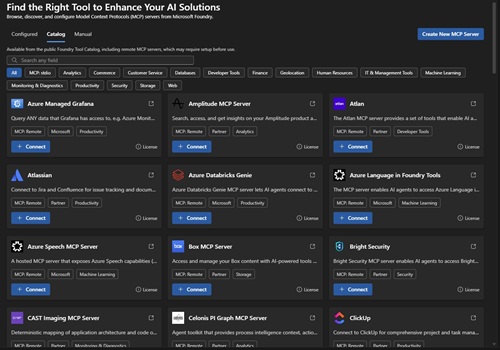 [Click on image for larger view.] MCP Servers (source: Ramel).
After filtering for web/search-oriented options, I selected the "ExaWebSearch" MCP offering (web search and crawling), because it mapped cleanly to the PoC requirement: given a topic, find the relevant official URL(s).
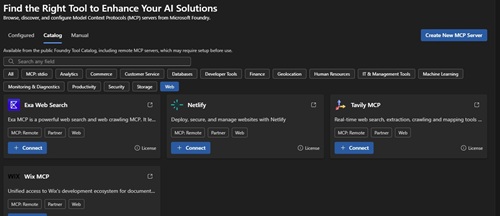 [Click on image for larger view.] ExaWebSearch MCP (source: Ramel).
After selecting the MCP server, I was offered a choice between "local" and "foundry" connection options. I first chose local to keep the setup simpler for the PoC, but ran into problems. Eventually, in the Microsoft Foundry portal, I added a ready-made search tool to the project, so the final agent configuration had both the ExaWebSearch MCP server and the Foundry search capability available.
A "Journalist" resource was created in Microsoft Foundry to host the model deployment, and I deployed a GPT-4.1 mini model there. This was a critical step, as the choice of model and its hosting environment had a significant impact on the PoC's success, as I'll explain in the friction points section.
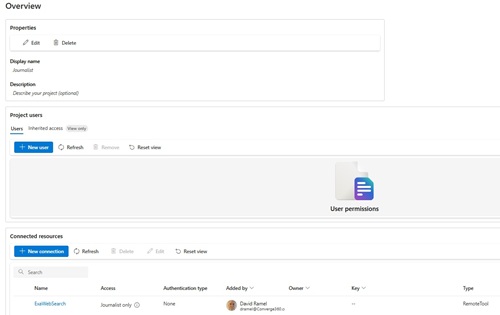 [Click on image for larger view.] Microsoft Foundry Journalist Resource (source: Ramel).
Friction Point #1: The 'Try in Agent' Circular Loop
After connecting the MCP server, I ran into a basic usability snag: a "Try in Agent" button that was disabled with a tooltip reading: "Create a new agent first to try this tool." This was confusing because I was already in the process of creating an agent. The UI suggested I needed to finish something that I had already started, creating a circular logic problem. It wasn't immediately obvious where the agent is actually "run" from, because the prompting surface shows up in the Playground area, not in the Agent Builder form itself. Who knows, I might have created the friction. ChatGPT and GitHub Copilot were crucial in guiding me through this process, but their visions of the UI for various tools is often different from what I actually see. Sometimes I had to go off-script and blunder about on my own, trying different things until they worked, and didn't take real good notes in the process.
Friction Point #2: The GitHub Sign-In Redirect
When I initially selected the o1 model (which runs remotely from GitHub), it triggered a GitHub sign-in flow. After signing in successfully, the system attempted to open VS Code--even though VS Code was already open and running. A minor but annoying thing. The flow eventually completed, but the experience felt unpolished.
Friction Point #3: Model Availability and Context Limits
My initial attempts leaned on models surfaced via GitHub (o1 and GPT-5), but I repeatedly hit guardrails that made the workflow feel brittle. Even with small prompts, I encountered "input too large" errors. The combined context--instructions, tool outputs, and conversation state--was tripping size or quota limits.
When I narrowed the ExaWebSearch MCP tool configuration to just the search capability (removing other functions to simplify), I still hit "Too Many Requests" messages in the terminal, indicating rate limiting. I tried to find a way to enable pay-per-use on GitHub to remove the limits, as the tool kept prompting me to do with a link that just went to documentation, but couldn't figure that out.
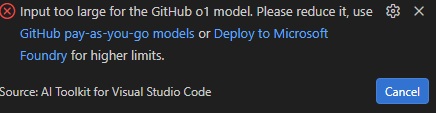 Too Many Requests (source: Ramel).
ChatGPT and I went round and round in a frenzied, frustrating experience, hitting one roadblock after another. The "input too large" errors and rate limits made it feel like the system was actively working against the PoC goal, which was to demonstrate a smooth editorial agent workflow. It was more of a stress test of the tooling's limits than a showcase of its capabilities.
 Rate Limit (source: Ramel).
Another big issue was that I kept choosing AI models and trying to deploy them only to find out they weren't available in my region, which I think is East, so if these things aren't available there, I don't know which region they are available in.
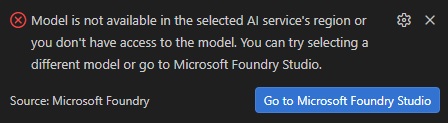 [Click on image for larger view.] N/A (And I Just Came from There!) (source: Ramel).
One related and telling disconnect: models like Claude Sonnet 4.5 and GPT-5.2-Codex were available in GitHub Copilot's interface and my account, but they did not appear as options in Agent Builder. This highlighted a fragmentation problem across Microsoft's AI tooling--different model catalogs for different surfaces, even within the same developer environment.
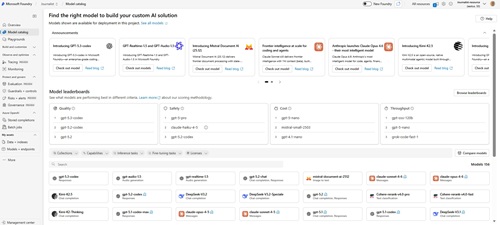 [Click on image for larger view.] Microsoft Foundry Models (source: Ramel).
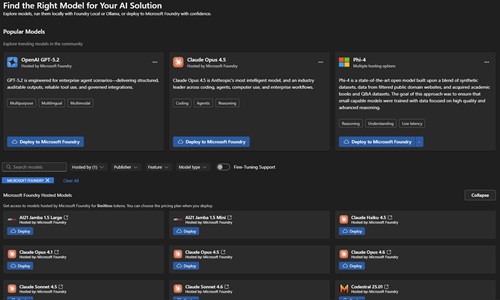 [Click on image for larger view.] Agent Builder Models (source: Ramel).
What Finally Worked: Foundry-Deployed GPT-4.1 mini + Dual Search Tools
The turning point was switching to a model deployed in Microsoft Foundry--specifically, GPT-4.1 mini--and then re-running the simplest possible test prompt through the agent with both the MCP search tool and the Foundry search tool enabled: "VS Code v1_110 updates page. Return URL only." That produced the expected official updates URL, confirming that the end-to-end loop (prompt → tool search → answer) was functional.
Eventually I got things to the work to the point where I fed the agent this prompt to get a workable first article draft: "Topic: Visual Studio Code 1.110 release. Use official sources only. Produce a VSM-ready shorty-style news story with verified quotes and deep links."
The Output: a First Editorial Agent Pass
Once the loop worked, the agent produced a usable draft with a clear headline, a one-line summary, and a short body tied back to the official update page, along with all the trimmings mentioned above. I spot-checked a quote and confirmed it was verbatim. For a PoC, that was the key requirement: demonstrate that an agent can retrieve an official source, quote it accurately, and generate a coherent short write-up without me manually doing the assembly work.
In other words: the agent did not "replace me." But it did replace the most mechanical parts of the workflow: finding the canonical page, extracting a few concrete points, and turning them into a structured draft quickly enough to be useful as a starting point.
The draft article is below. It didn't get all the formatting right, that would take some time-consuming tweaking, but the core content was there and accurate and I'm confident if I wanted to spend the time it would go out and search a topic I wanted to write about and produce a CMS-ready draft.
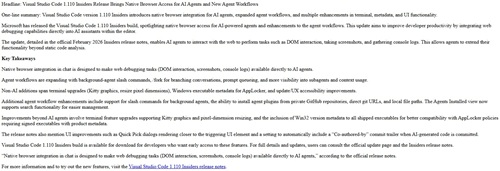 [Click on image for larger view.] The Draft (source: Ramel).
Where This Goes Next
The next iteration for an editorial-grade agent would focus on tightening output format, expanding source coverage beyond a single page when appropriate, and turning verbatim quote verification into a repeatable step. But as a proof-of-concept, the core question is answered: using VS Code's AI Toolkit plus MCP search tools and a Foundry-deployed model, it is feasible to build an agent that can take an editorial topic and generate a source-linked draft.
The bigger takeaway is about the state of Microsoft's AI developer tooling itself. The fragmentation between Agent Builder, Copilot, GitHub Models, and Foundry deployments creates friction that shouldn't exist. If developers (or non-developers trying to build agents) have to manually navigate multiple portals, troubleshoot model availability mismatches, and work around circular UX flows, the promise of "just build an agent" becomes more aspirational than practical. The PoC worked, but it required navigating around the tooling as much as working with it.
But then again, maybe I caused all the friction. Your mileage may vary. I'm no coder, just a journalist, soon to be out of work.
About the Author
David Ramel is an editor and writer at Converge 360.