SQL Server Management Studio Alternatives that are Free
I'm down on SQL Server Management Studio right now. I basically just spent a day trying to swap out the evaluation version of SQL Server 2008 R2 with the Express version, and SSMS just wouldn't install, apparently because some components of the evaluation version wouldn't uninstall. It's a long, ugly story that I won't bore you with, but a Web search shows that I'm certainly not alone in my frustration, which is cold comfort indeed, as they say.
Graham O'Neale's blog post illustrated problems similar to what I experienced. Note that he starts out with: "Ok, I'm angry...."
So are a lot of other people. Aaron Bertrand wrote a detailed account of his attempt to uninstall the evaluation edition and ultimately had to resort to registry hacks. "That was WAY too painful," he said. I feel that pain. So do dozens--hundreds, thousands?--of others. I wish Microsoft would just fix the damn thing.
Anyway, after many hours of exasperation, I decided to give up and started wondering what alternatives to SSMS were out there for developers wanting to mess around with SQL Server. Being of little coinage, my main requirement was simple: they had to be free.
Turns out, all I had to do was hit the Window key and type "ISE." (Well, Microsoft got THAT right.)
That command brings up the Windows PowerShell Integrated Scripting Environment (ISE). PowerShell is typically described as a tool for automation tasks or a "command-line shell designed especially for system administrators." But it can do much, much more.
Coincidentally, in my day job as technical editor of MSDN Magazine, I'm currently working on an article about PowerShell and how its seamless integration with the .NET Framework allows developers to do some pretty cool things. This article (to be published in the July edition) describes how to use the WPF PowerShell Kit to build a nifty WPF present value calculator.
I asked the author if he thought PowerShell would be of benefit to SQL Server developers. "PowerShell is absolutely, without a doubt, hands down a valuable for tool for Devs to work with SQL Server (and more)," he replied.
So I've been fooling around with it for a few hours now. It looks promising.
Version 2.0 comes with Windows 7 and Windows Server 2008 R2 out of the box, ready to be used. It can be run from the command line or in the ISE, which I prefer. To get started running scripts, you have to change the default execution policy, as explained here.
Then, to work with SQL Server, you need to install a couple "snap-ins," one for the SQL Server Provider and one to run SQL Server Cmdlets (pronounced "command-lets"). With Windows Server 2008 R2 and SQL Server 2008 R2, this is simply a matter of entering the following commands while in PowerShell: Add-PSSnapin SqlServerProviderSnapin and Add-PSSnapin SqlServerCmdletSnapin. You can read more about that in this TechNet article and this MSDN article.
After you're all set up, you're ready to start interacting with your SQL Server databases with regular Transact-SQL commands with the Invoke-Sqlcmd Cmdlet.
For example, here's a query against the Northwind database (Fig. 1 shows the result in PowerShell):
invoke-sqlcmd -query "SELECT Employees.EmployeeID, Employees.FirstName, Employees.LastName, Orders.OrderID, Orders.OrderDate
FROM Employees JOIN Orders ON (Employees.EmployeeID = Orders.EmployeeID)
WHERE Orders.orderdate > '5/5/1998'
ORDER BY Orders.OrderDate" -database northwind -serverinstance acer | format-table
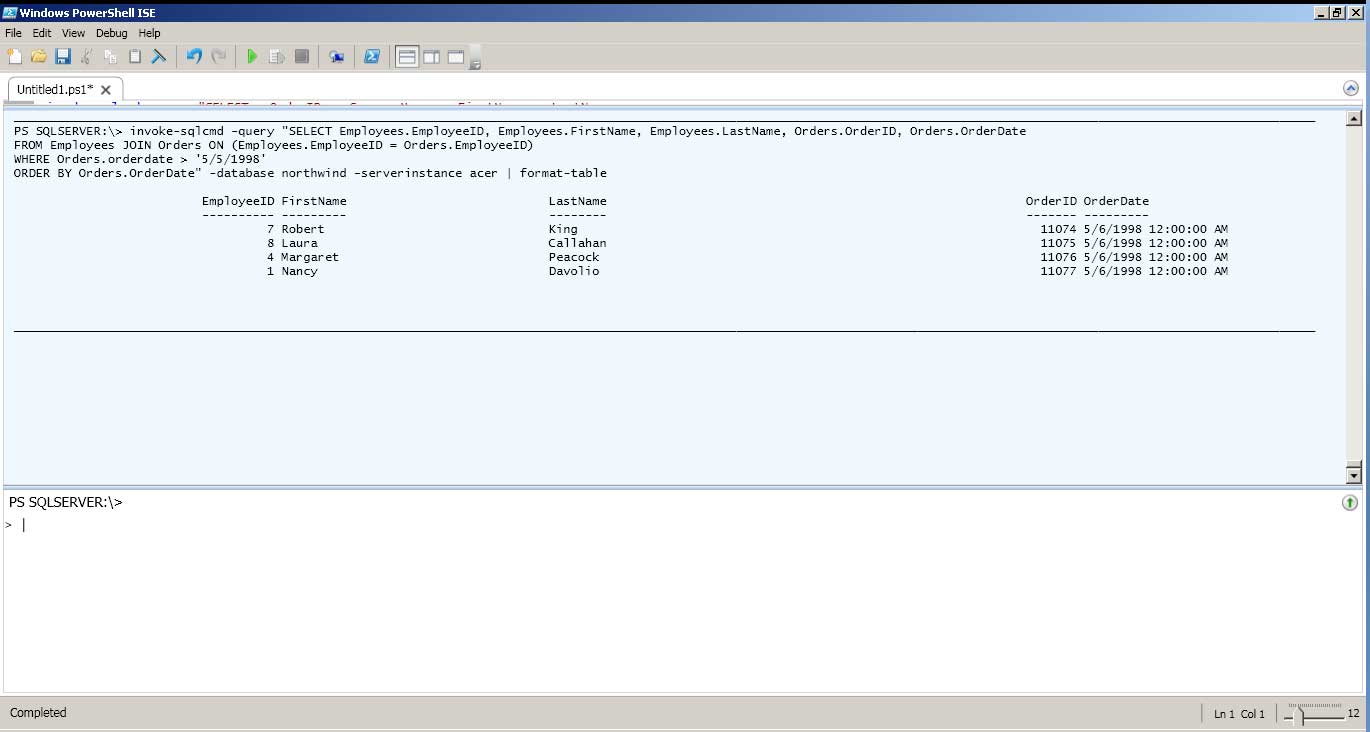 |
Figure 1. A SQL Server query against the Northwind database executed in PowerShell. (Click image to view larger version.) |
Fig. 2 is that same query as executed in SSMS (yes, I finally did get it to install).
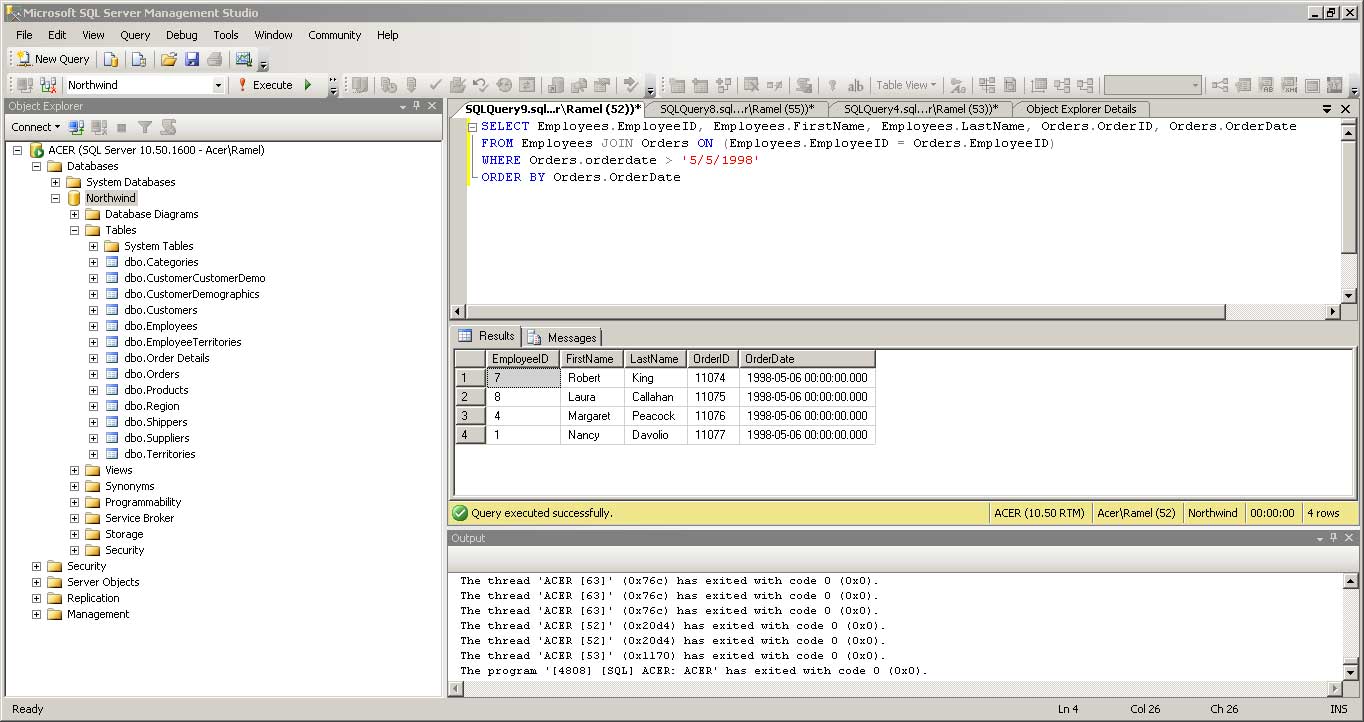 |
Figure 2. The same query as executed in SQL Server Management Studio. (Click image to view larger version.) |
Obviously, SSMS offers some features that PowerShell doesn't, such as the handy Object Explorer pane. But what I've shown is just the beginning of what you can do with PowerShell in the place of SSMS. I'll be exploring PowerShell more as time allows, and I'd also like to investigate other options, such as LINQPad 4 and the free version of Toad for SQL Server.
But I'm sure there are many readers out there who have already followed this path. So I'd love to have you share your experiences with the rest of us. What problems have you had with SSMS? What free alternatives do you recommend? Any experience with LINQPad or Toad? What do you like/dislike about these or various other options? Please comment here or drop me a line.
Posted by David Ramel on 05/19/2011