C# Corner
ASP.NET Core Security, Part 1
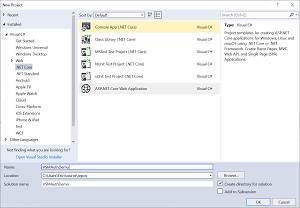
To start my series on ASP.NET Core security, I'll show how to set up authentication to register, log in and log out a user account in an ASP.NET Core MVC application. To get started, open Visual Studio 2017 and create a new ASP.NET Core Web Application as seen in Figure 1.
 [Click on image for larger view.]
Figure 1. Create New ASP.NET Core Web App
[Click on image for larger view.]
Figure 1. Create New ASP.NET Core Web App
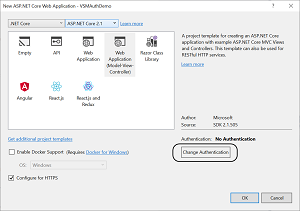
Next click on the Change Authentication button on the next dialog as seen in Figure 2.
 [Click on image for larger view.]
Figure 2. Change Authentication Dialog
[Click on image for larger view.]
Figure 2. Change Authentication Dialog
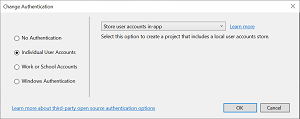
Then change the authentication type to "Individual User Accounts" as seen in Figure 3.
 [Click on image for larger view.]
Figure 3. Individual User Accounts Setting
[Click on image for larger view.]
Figure 3. Individual User Accounts Setting
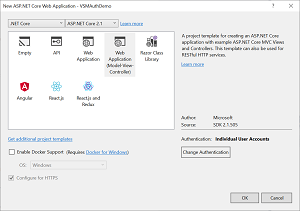
Next click the OK button to create the new ASP.NET Core Web Application as seen in Figure 4.
 [Click on image for larger view.]
Figure 4. Create App with Authentication Set
[Click on image for larger view.]
Figure 4. Create App with Authentication Set
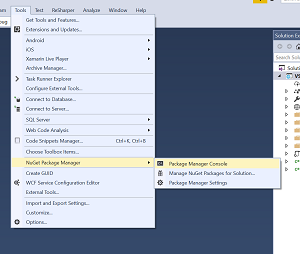
Next we are going to create the database for our application. Go to Tools |NuGet Package Manager | Package Manager Console as seen in Figure 5.
 [Click on image for larger view.]
Figure 5. Open Package Manger Console
[Click on image for larger view.]
Figure 5. Open Package Manger Console
Then run the "Update-Database" command in the console.
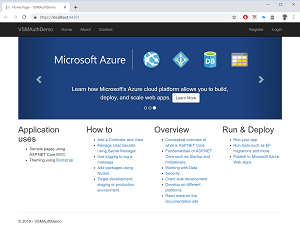
Your app is now configured to allow a user to register a user, log in an existing user and log out an existing user. To test this functionality, first register a new user by clicking on the Register link as seen in Figure 6.
 [Click on image for larger view.]
Figure 6. Finished App
[Click on image for larger view.]
Figure 6. Finished App
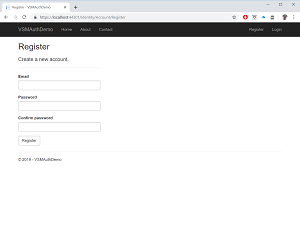
Once you click on the Register link you should see the User Registration page as seen in Figure 7.
 [Click on image for larger view.]
Figure 7. Register User
[Click on image for larger view.]
Figure 7. Register User
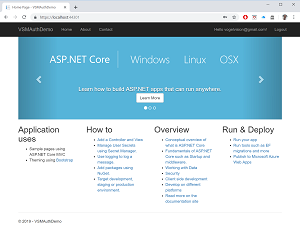
After you register a user you'll see that you're automatically logged in as seen in Figure 8.
 [Click on image for larger view.]
Figure 8. Logged In!
[Click on image for larger view.]
Figure 8. Logged In!
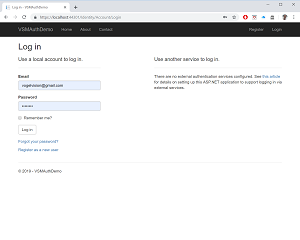
Now you can test out logging out a user by clicking on the Logout link in Figure 8. Lastly, test out the Login functionality by clicking on the Login link from Figure 7. You should now see the Login form as seen in Figure 9.
 [Click on image for larger view.]
Figure 9. Log in an Existing User
[Click on image for larger view.]
Figure 9. Log in an Existing User
In this intro to the ASP.NET Core security series, I've shown you how easy it is to use the built-in authentication provider in ASP.NET Core. Stay tuned for the next installment where I'll show you how to put pages behind log in and create user roles, and use existing roles to restrict access to pages.
About the Author
Eric Vogel is a Senior Software Developer for Red Cedar Solutions Group in Okemos, Michigan. He is the president of the Greater Lansing User Group for .NET. Eric enjoys learning about software architecture and craftsmanship, and is always looking for ways to create more robust and testable applications. Contact him at [email protected].