News
Xamarin.Forms 4.7 Ships
Microsoft shipped Xamarin.Forms 4.7, improving the definition of grid columns and rows, multi-bindings, shapes/paths and more.
Here's a look at what's new:
Simplified Grid Row & Column Definitions
When creating a grid, no longer do developers need to specify each column and row definition separately. The simplified process reduces code like this:
<Grid>
    <Grid.ColumnDefinitions>
        <ColumnDefinition Width="1*" />
        <ColumnDefinition Width="2*" />
        <ColumnDefinition Width="Auto" />
        <ColumnDefinition Width="*" />
        <ColumnDefinition Width="300" />
    </Grid.ColumnDefinitions>
    <Grid.RowDefinitions>
        <RowDefinition Height="1*" />
        <RowDefinition Height="Auto" />
        <RowDefinition Height="25" />
        <RowDefinition Height= "14" />
        <RowDefinition Height="20" />
    </Grid.RowDefinitions>
</Grid>
to this:
<Grid ColumnDefinitions="1*, 2*, Auto, *, 300"
    RowDefinitions="1*, Auto, 25, 14, 20">
</Grid>
More information is available in the Xamarin.Forms Grid documentation.
Multi-Bindings
This lets developers connect a target property to a list of source properties and then apply logic to produce a value with the inputs specified. It stems from an issue filed in November 2018 to "Add a MultiBinding binding type equivalent to WPF" and was spearheaded by contributor Peter Moore.
"A simple and powerful way to use multi-binding is the ability to format any multi-binding result that's displayed as a string with the StringFormat property," said Jacob Kirsch, program manager, Xamarin.Forms. "This property can be set to a standard .NET formatting string, with placeholders, that specifies how to format the multi-binding result. For example, let's say you wanted to create a label of a user's full name. You can use multi-bindings combined with StringFormat to create a single label that contains the user's full name, regardless of where the user inputs their forename, middle name, or surname."
More information is available in the Xamarin.Forms Multi-Bindings documentation.
Shapes & Paths
This is experimental support, letting developers create any shape they want for an app design, as illustrated in David Ortinau's login screen example. More information is available in Xamarin.Forms Shapes documentation.
Light & Dark Mode
Using UserAppTheme, developers now have more control to manage themes, and this release updates the styling of light and dark modes.
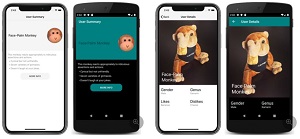 [Click on image for larger view.] Light and Dark System Themes on iOS and Android (source: Microsoft).
More information is in the documentation titled "Respond to system theme changes in Xamarin.Forms applications."
The new release came less than two months after Xamarin.Forms 4.6, when the team noted it was shipping new updates "fast and often." More information on Xamarin.Forms 4.7 can be found in the release notes.
"These new features will let you unleash your full creative abilities when developing Xamarin.Forms applications," said Kirsch in a June 17 blog post.
About the Author
David Ramel is an editor and writer at Converge 360.