News
VS Code v1.65 Update: New Theme, Audio Cues and Terminal Shell Integration (Preview)
Microsoft's Visual Studio Code February 2022 update (v1.65) comes with the usual raft of new features and functionality, including a new theme, audio cues and editor history navigation, along with a preview of terminal shell integration.
Regarding that last preview item, terminal shell integration was initially introduced in the January 2022 update and improved in this dev cycle. "The terminal now features experimental shell integration that allows VS Code to gain insights on what is going on within the terminal, which was previously unknown," Microsoft said in last month's update.
This month's announcement details what has been updated. "The biggest change [in] this release is that commands detected by shell integration now feature decorations in the 'gutter' to the left," the post says. "A command decoration visually breaks up the buffer and provides access to information and actions that use shell integration capabilities. There are three types of command decorations: error, success, and default, as determined by the command's exit code."
Other changes include:
- The enablement setting has been renamed to
terminal.integrated.shellIntegration.enabled.
- The mechanism for enabling shell integration in all supported shells is now more reliable.
- Shell integration should now work when using remote connected windows (SSH, WSL, containers).
- Line continuations (for example,
$PS2) should now work on all supported shells.
- Commands that are "skipped" are now marked specially. For example, after using Ctrl+C or running an empty command.
- The Run Recent Command and Go to Recent Directory commands now store history between sessions. Storing history can be configured via the
terminal.integrated.shellIntegration.history setting.
The post explains more about the preview functionality, including how to turn it on.
Following are descriptions of some other new features and links for more information:
- New editor history navigation - Scope Go Back/Go Forward history to editor group or single editor. "The editor history navigation feature in VS Code drives some popular commands, such as Go Back and Go Forward. Numerous feature requests accumulated over time to improve this feature and also add more capabilities. This milestone editor history navigation was rewritten from scratch to address most of these requests."
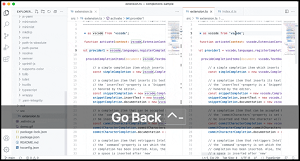 [Click on image for larger, animated GIF view.] Using the Go Back Command in Animated Action (source: Microsoft).
- Light High Contrast theme - Light theme for enhanced VS Code editor visibility. "A new Light High Contrast theme has been added to improve legibility and readability of the editor."
- New audio cues - Audio cues for warnings, inline suggestions, and breakpoint hits. "New audio cues have been added with this release, including audio cues for warnings, inline suggestions, and debugger breakpoint hits."
- Drag and drop Problems and Search results - Drag results to new or existing editor groups. "You can now drag and drop a Problem, Search, or Reference result into the editor, opening the file and revealing the result position. This can be useful if you want to start a new editor group or drop a result into an existing editor group."
- Source Control diff editor management - Automatically close diff editors after Git operations. "This milestone we have made changes that should help with managing diff editors. There is a new command Git: Close All Diff Editors in the Command Palette that can be used to close all open diff editors. There is also a new setting,
git.closeDiffOnOperation to automatically close diff editors when changes are stashed, committed, discarded, staged, or unstaged."
- Debugger lazy variable evaluation - Lazy evaluation of JavaScript/TypeScript property getters. "Accessing the value of a variable may have side-effects or be expensive. VS Code's generic debugger can now show a button for the user to fetch the variable value on demand. This is available for debug extensions that support the new 'lazy' variable feature. Currently this has only been implemented by the built-in JavaScript debugger for property getters, but we expect that other debugger extensions will follow soon."
- VS Code for the Web - Reopen recent local files and folders, improved Git integration. "The list of recently opened local files and folders is now available when you access vscode.dev or insiders.vscode.dev with a browser that supports the web file system access API."
About the Author
David Ramel is an editor and writer at Converge 360.