News
Microsoft PowerToys Now Installs .NET 7 for You
Microsoft PowerToys now installs .NET 7 for users automatically if needed, thanks to a new update to v0.66.0.
Microsoft describes PowerToys as a set of utilities for power users to tune and streamline their Windows experience for greater productivity. It provides many tools and helpers including a color picker, File Explorer add-ons, image resizer and more.
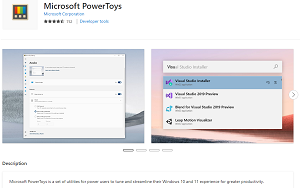 [Click on image for larger view.] Microsoft PowerToys (source: Microsoft).
One of the highlights to the new release, as presented in the open source project's changelog on GitHub, is: "PowerToy utilities now ship with self-contained .NET 7, meaning it's not necessary to install .NET as part of the installer and it's easier to keep up to date."
Furthermore, the new functionality is optimized, with the changelog noting, "The .NET 7 dependency is now shipped self-contained within the utilities, using deep links to reduce storage space usage."
.NET 7, released last November, was a milestone release for Microsoft as it culminated a years-long effort to unify separate dev tooling components under one framework, enabling developers to build all types of apps -- desktop, mobile, web and more -- on the same Base Class Library (BCL), runtime and compilers.
The .NET 7 installer was the main takeaway from the release, for which the dev team mostly concentrated on stability and improvements instead of new features.
The two other main highlights as presented by Microsoft include:
- It's possible to pick which of the installed OCR languages is used by Text Extractor by selecting it in the right-click context menu.
- Added a setting to sort the order of the accented characters by usage frequency in Quick Accent.
Other improvements were made to: FancyZones (a window manager that makes it easy to create complex window layouts); the color picker; File Locksmith ( a Windows shell extension for checking which files are in use and by which processes); documentation; Hosts file editor (a convenient way to edit the "Hosts" file that contains domain names and matching IP addresses); PowerToys Run (which helps users search and launch an app instantly); and many more.
About the Author
David Ramel is an editor and writer at Converge 360.