News
VS Code Tool for Azure Machine Learning Ships After 7-Year Preview
Nearly seven years after its debut as a preview, the Visual Studio Code extension for Azure Machine Learning has hit general availability.
"You can use your favorite VS Code setup, either desktop or web, to build, train, deploy, debug, and manage machine learning models with Azure Machine Learning from within VS Code," said Microsoft's Leo Yao in announcing GA yesterday.
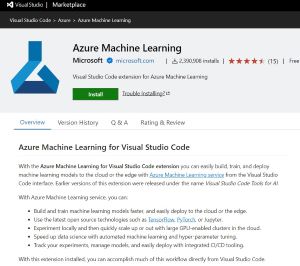 [Click on image for larger view.] Azure Machine Learning for Visual Studio Code (source: Microsoft).
Formerly called "Visual studio Code Tools for AI," the extension in the Visual Studio Code Marketplace is closing in on 2.4 million installs, having debuted in September 2017. It helps developers:
- Build and train machine learning models faster, and easily deploy to the cloud or the edge.
- Use the latest open source technologies such as TensorFlow, PyTorch, or Jupyter.
- Experiment locally and then quickly scale up or out with large GPU-enabled clusters in the cloud.
- Speed up data science with automated machine learning and hyper-parameter tuning.
- Track your experiments, manage models, and easily deploy with integrated CI/CD tooling.
Leveraging VS Code's cross-platform capabilities, the extension supports Windows, macOS and Linux Ubuntu, along with possibly other Linux distributions.
Its documentation lists more functionality in a separate bullet-point list:
- Manage Azure Machine Learning resources (experiments, virtual machines, models, deployments, etc.)
- Develop locally using remote compute instances
- Train machine learning models
- Debug machine learning experiments locally
- Schema-based language support, autocompletion and diagnostics for specification file authoring
The preview came without a service-level agreement, and Microsoft didn't recommend it for production workloads because certain features might not have been supported or might have had constrained capabilities.
Not anymore. Yao said the extension is stable, reliable, ready for production use, and now sports additional features such as VNET support.
"With this extension installed, you can accomplish much of this workflow directly from Visual Studio Code," Yao explained. "The VS Code extension provides a user interface to create and manage Azure ML resources, such as experiments, compute targets, environments, and deployments. It also supports the Azure ML 2.0 CLI, which is the new command-line tool that simplifies the specification and execution of machine learning tasks."
He goes on to explain how devs can get started with one-click access to VS Code from Azure ML Studio, with options to use VS Code (Web) or VS Code (Desktop).
More information can be found in the Azure Machine Learning for Visual Studio Code GitHub repo and documentation titled "Azure Machine Learning documentation" on the Microsoft Learn site. The company also fielded a survey to gather feedback.
About the Author
David Ramel is an editor and writer at Converge 360.