Visual Studio Toolbox
Visual Studio Toolbox: Top Vibe Coding Extensions for VS Code
With "vibe coding" taking over software development with AI-driven programming and other advanced functionality, you would think the Visual Studio Code Marketplace would be flooded with new extensions to support this trend.
But it's not.
A search of the catchy term "vibe coding" in the marketplace returns only 11 results, listing tools ranging from a 2 installs to 690 at the time of this writing (for reference, the Python tool has some 171 million).
Searching for the individual words "vibe" and "coding" separately returns more than 1,700 results, but that doesn't mean they have anything to do with "vibe coding" as a lot of themes and other types of tools use the term vibe.
As far as tools tagged with the term "vibe coding," 250 fall under that category, though closer examination shows tenuous connections to the term now pervading software development and now even going mainstream. So obviously developers are tagging their creations to try to capitalize on the craze.
And a craze it is, as a Google Trends chart shows:
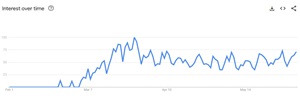 [Click on image for larger view.] Google Trends (source: Google).
Wikipedia explains the term originated in February, coined by OpenAI co-founder Andrej Karpathy:
Here's part of that entry, stripped of the links and citations:
Vibe coding (or vibecoding) is an approach to producing software by using artificial intelligence (AI), where a person describes a problem in a few sentences as a prompt to a large language model (LLM) tuned for coding. The LLM generates software based on the description, shifting the programmer's role from manual coding to guiding, testing, and refining the AI-generated source code.
Advocates of vibe coding say that it allows even amateur programmers to produce software without the extensive training and skills required for software engineering. The term was introduced by Andrej Karpathy in February 2025 and listed in the Merriam-Webster Dictionary the following month as a "slang & trending" noun.
We caught on in March (see "AI's Takeover of Software Development Gets a Name: 'Vibe Coding'"). Since then, we've been anxiously awaiting the new crop of vibe coding extensions to present to readers in our Visual Studio Toolbox section, which also covers VS Code tools.
We're still waiting.
As far as VS Code Marketplace tools that mention "vibe coding" in their description -- apart from just being randomly tagged with the term -- they are led (when sorted by relevance) by Enlighter for Cursor -- Learn Vibe Coding, which promises to help users "Learn Vibe Coding in a Smart Way" and has 564 installs and a 5-star rating from six reviewers. It describes itself as "a VS Code extension that helps you learn Vibe Coding by providing syntax highlighting, code completion, and other features."
 [Click on image for larger view.] Enlighter for Cursor (source: VS Code Marketplace).
Cursor, of course, is one of the standout AI-coding assistants that have arose to challenge the likes of the original GitHub Copilot "AI pair programmer" that kickstarted the AI coding assistant space (see our recent article, "Two Different Takes on Cursor/Copilot Vibe Coding Supremacy").
Among those 11 tools that come up in a search for "vibe coding," the one with the most installs is Prompt Tower, with 690 installs at the time of this writing. However, it doesn't mention "vibe coding" in its description, it's just tagged with the term. The tool's description says it also works with Cursor, and other tools, listing real use cases including:
- Building features with Cursor's agent: Select implementation files + tests + types → paste complete context → describe your feature → watch it build with full codebase awareness.
- Debugging with Claude Code: Include error logs + related files + directory structure → paste in TUI → get solutions that fit your architecture.
- Massive refactors with Gemini: Use the full 1M context window. Select entire modules, include architectural decisions as prefix text, let AI understand the complete system.
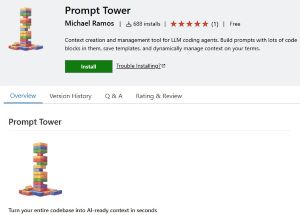 [Click on image for larger view.] Prompt Tower (source: VS Code Marketplace).
As its name bespeaks, Better AI Code For Cursor also targets the Cursor crew, promising to provide an "All-in-one tool for better Cursor experience." With 137 installs at the time of this writing, it focuses on creating better AI prompts.
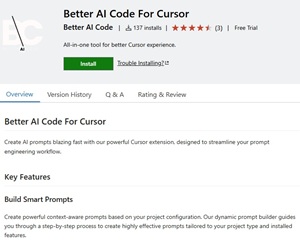 [Click on image for larger view.] Better AI Code For Cursor (source: VS Code Marketplace).
Some of the other offerings showing up among the 11 found by a search for "vibe coding" include:
- YOYO -- 73 installs -- described as a "lightweight version control built for AI-assisted workflows."
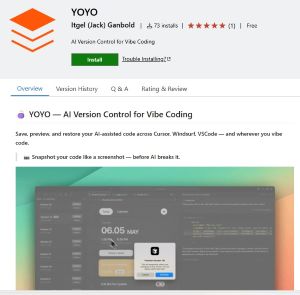 [Click on image for larger view.] YOYO (source: VS Code Marketplace).
- KoЯnelius -- 39 installs -- described as "your vibe coding companion" that is "designed to streamline AI prompt creation and context management."
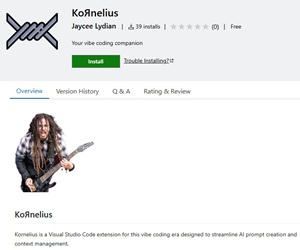 [Click on image for larger view.] KoЯnelius (source: VS Code Marketplace).
- Opik - Track chat history (Zencoder) -- 90 installs -- described as a VS Code extension that "will allow you to save your Zencoder chat sessions into Opik. You can share these chat sessions with your team or even on Twitter / X if you are so inclined ! Your vibe coding session no longer need to be private !"
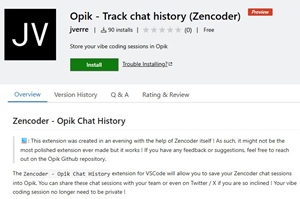 [Click on image for larger view.] Opik (source: VS Code Marketplace).
- NPM Import Validator -- 12 installs -- with a description saying it "Validates imported packages against npm registry good if your doing vibe coding."
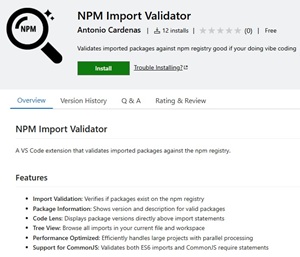 [Click on image for larger view.] NPM Import Validator (source: VS Code Marketplace).
- VibeCopy -- 29 installs -- with this description: "copy multiple files to context, for a faster prompting and vibe-coding experience. select files in sidebar, right click, and get them ready to shove into AI, with their path!"
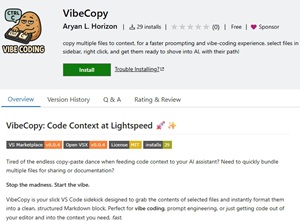 [Click on image for larger view.] VibeCopy (source: VS Code Marketplace).
However, keep in mind such a search doesn't find all the vibe coding tools. For example, it missed vibe-coder, which, at 552 installs, describes itself like this: "A voice-powered coding assistant for AI-enabled VS Code forks that helps you navigate, control, and code through natural voice commands. This is a first cut at Deepgram's vision of the future. It is a very early view, an experiment in Voice first programming. As such, there will be bugs, future developments. We'd love to hear your ideas on how you're using it and how to make it better."
 [Click on image for larger view.] vibe-coder (source: VS Code Marketplace).
There's also Vibe Agent, with 242 installs, described as "Autonomous coding agent right in your IDE, capable of creating/editing files, running commands, using the browser, and more with your permission every step of the way."
 [Click on image for larger view.] Vibe Agent (source: VS Code Marketplace).
vibecheck, meanwhile, has been installed 10 times with this description: "VibeCheck is a VSCode extension designed for AI-assisted developers using tools like Cursor, Windsurf, and ChatGPT to generate code without structure. This extension automates Git management, tests your AI-generated changes, and deploys effortlessly—so you can keep coding without breaking things."
 [Click on image for larger view.] vibecheck (source: VS Code Marketplace).
And VibeGuard "is a VS Code extension designed to help developers, especially those prioritizing speed ("vibe coding") and using AI code assistants, catch common security vulnerabilities without disrupting their workflow. It focuses on high-confidence, actionable warnings for common issues often overlooked during rapid development." But it only has six installs as "an early Minimum Viable Product focusing on Python code."
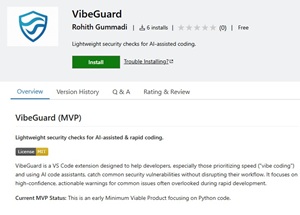 [Click on image for larger view.] VibeGuard (source: VS Code Marketplace).
There are more, but some hunting and pecking is in order to find them. A good place is start with the 250 tools sporting the "vibe coding" tag. Again, keep in mind the creators of VS Code extensions apply their own tags to their tools, so opportunities are rife to capitalize on the term's popularity with creative tagging.
While the above might seem a bit skimpy of a selection for such a transformative trend, it beats that found in the Visual Studio (IDE) Marketplace, which lists zero. Of course, with Copilot functionality getting baked in to the IDE, that's not surprising.
However, VS Code offerings are bound to pick up, especially considering luminaries like Google CEO Sundar Pichai are admitting to vibe coding themselves as recently as today (see the June 5 Business Insider article, "Sundar Pichai is vibe coding. 'It feels so delightful to be a coder.'")
About the Author
David Ramel is an editor and writer at Converge 360.