News
Microsoft Previews IoT Workbench Extension for Visual Studio Code
Microsoft is previewing a Visual Studio Code extension for working with Internet of Things (IoT) projects in the Azure cloud, including a DevKit with a customized Arduino-based board.
Called the Azure IoT Workbench for Visual Studio Code, the project is presently hosted on GitHub.
"The IoT Workbench extension makes it easy to code, build, deploy and debug your IoT project for DevKit in Visual Studio Code, with a rich set of functionalities," Microsoft says.
The referenced IoT DevKit is described as an "all-in-one IoT kit built for the cloud. All the sensors and parts you love, no soldering needed."
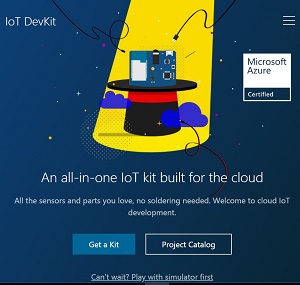 [Click on image for larger view.] The IoT DevKit (source: Microsoft).
Liya Du, a Visual Studio program manager, unveiled the board in a Channel 9 video last week, explaining that those sensors integrated with the credit-card-sized board included nanometer sensors, temperature sensors and more.
Further, Du explained the board, with a customized edge connector, included: Wi-Fi connectivity; a "secret chip" to ensure security once connected to the Internet; and another chip for hover debugging (hitting F5 and deploying code remotely) in the VS Code editor, the team's tool of choice for working with the DevKit.
The DevKit site explains the board includes an OLED display and more sensors for humidity, motion and pressure.
Other functionality includes a microphone for trying out cognitive services such as translating voice data.
The team created the VS Code extension to work with the DevKit initially, but plans to support other boards later.
While documentation is somewhat scant right now, the DevKit site includes a link to a Project Catalog with several official tutorials to help developers get started with building IoT projects empowered by the Azure cloud, including remote monitoring, connecting to Microsoft IoT Central, a language translator and more.
The VS Code extension works on Windows 7 and later (32-bit and 64-bit) and macOS 10.10 or later, but not Linux, yet.
It also requires this Arduino IDE (not the Windows Store version).
When out of preview, the extension will join other VS Code Marketplace tools for IoT development including: Azure IoT Toolkit, providing interaction with Azure IoT Hub, IoT Device Management, IoT Edge Management and IoT Hub Code Snippets; and Azure IoT Edge for Visual Studio Code, another preview that "makes it easy to code, build, deploy, and debug your IoT Edge solutions in Visual Studio Code, by providing a rich set of functionalities."
About the Author
David Ramel is an editor and writer at Converge 360.