News
Azure DevOps Projects Emerges from Public Preview
Promising a three-step, five-minute process to running code on any Azure cloud service with built-in CI/CD, Azure DevOps Projects has graduated from its public preview into general availability.
Azure DevOps Projects is now available in the Azure Portal, providing simplified experience in which developers can bring their existing code and Git repository to leverage Azure DevOps functionality or choose from a stable of existing applications to create a Continuous Integration (CI) and Continuous Delivery (CD) pipeline to the cloud.
Microsoft announced the service -- which leverages Visual Studio Team Services (VSTS) for build and release services -- last November and has continued to add functionality in part based on developer feedback, for example adding support for new programming languages.
The aforementioned sample applications cover .NET, Java, Static Website, Node.js, PHP and Python.
After the first step of selecting a language, developers choose a runtime. For example, choosing a Java app brings up the choices of Spring and JFS, while selecting a Node.js app provides options including Express.js, Sails.js or SimpleNode.js.
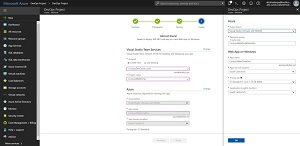 [Click on image for larger view.] The Steps for Starting an Azure DevOps Project (source: Microsoft).
After that, for the third step, a developer selects an Azure service -- such as Web App for Containers in the case of a Node.js app, for one example -- and then creates the DevOps project.
As detailed in a July 12 blog post, that final creation step triggers the setup of surrounding services such as:
- All necessary Azure resources
- Git repository with application code
- Automated CI/CD pipeline
- Application Insights integration for monitoring applications
- A DevOps Project dashboard that lets you monitor code commits, builds and, deployments, from a single view in the Azure portal
- A VSTS account and Project
Microsoft has published five-minute Quickstarts for .NET, Node.js, Java, Python, PHP, Ruby and Go, along with step-by-step tutorials for bringing in existing code with GitHub, deploying an ASP.NET App to Azure Virtual Machines, deploying an app to Azure Container Service and Kubernetes and more.
Further functionality under development can be tracked in the project's roadmap.
About the Author
David Ramel is an editor and writer at Converge 360.