News
VS Code Improves ML Model Training with Python
Using Python in Visual Studio Code for machine learning model training and experimentation is easier in the February 2021 update to the tool that fosters Python programming in Microsoft's popular, open source, cross-platform code editor.
That ease comes with new integration with TensorBoard, the visualization toolkit for TensorFlow, a leading open source ML platform used for developing and training ML models created by Google. Its primary use is for visualizing model graphs, metrics and other data patterns.
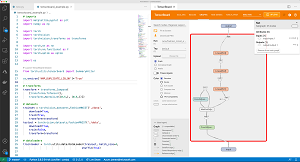 [Click on image for larger view.] Working with TensorBoard in VS Code (source: Microsoft).
"TensorBoard is a data science companion dashboard that helps PyTorch and TensorFlow developers visualize their dataset and model training," said Jeffrey Lew of the VS Code Python team in announcing the February update. " With TensorBoard directly integrated in VS Code, you can spot check your models' predictions, view the architecture of your model, analyze you model's loss and accuracy over time, profile your code to find out where it's the slowest, and much more!"
The new update also improves the Pylance extension (specifically, docstring readability) that serves as the language server for VS Code, leveraging the Language Server Protocol to provide Python-specific "smarts" in the editor such as autocomplete and smart completions (IntelliSense), error-checking (diagnostics), jump-to-definition, linting and corrections, find all references and so on.
Several other fixes and new features, such as tweaks to improve code navigation by streamlining go to definition and go to declaration behavior.
By far the most popular extension in the Visual Studio Code Marketplace, the Python tool has been downloaded more than 31.5 million times.
About the Author
David Ramel is an editor and writer at Converge 360.