News
Developer Feedback Makes Microsoft Reverse .NET 6 Hot Reload Decision
Microsoft apologized for an admitted mistake and reversed an earlier decision to limit Hot Reload functionality in the upcoming .NET 6, which is due to debut in a few weeks.
"First and foremost, we want to apologize. We made a mistake in executing on our decision and took longer than expected to respond back to the community," said Scott Hunter, director program management, .NET, in an Oct. 23 post.
That decision was announced a few days earlier in an "Update on .NET Hot Reload progress and Visual Studio 2022 Highlights" wherein principal program manager Dmitry Lyalin said, "we've decided that starting with the upcoming .NET 6 GA release, we will enable Hot Reload functionality only through Visual Studio 2022 so we can focus on providing the best experiences to the most users." The post was later updated to clarify that the company was not releasing Hot Reload as a feature of the dotnet watch command-line interface (CLI) tool, but only in Visual Studio 2022, with the team working to support Hot Reload in Visual Studio for Mac in the future.
That post has since been updated yet again and now points to Hunter's announcement for a full explanation on the decision to not support CLI Hot Reload.
There, Hunter explained: "With the runway getting short for the .NET 6 release and Visual Studio 2022, we chose to focus on bringing Hot Reload to VS2022 first. We made a mistake in executing on this plan in the way it was carried out. In our effort to scope, we inadvertently ended up deleting the source code instead of just not invoking that code path. We underestimated the number of developers that are dependent upon this capability in their environments across scenarios, and how the CLI was being used alongside Visual Studio to drive inner loop productivity by many." The dev team approved the pull request to re-enable the code path, which will be in the GA build of the .NET 6 SDK coming next month.
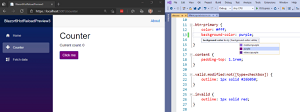 [Click on image for larger, animated GIF view.] Blazor Hot Reload in Animated Action (circa May 2021) (source: Microsoft).
This reporter tried out Blazor Hot Reload functionality via dotnet watch in April and it worked, as detailed in the article, "Hands On: .NET MAUI Desktop, Hot Reload, Blazor WPF/WinForms Controls in .NET 6 Preview 3."
Hunter's Twitter post on the company's reversal was retweeted 662 times, garnering 117 quote tweets and 2,755 likes.
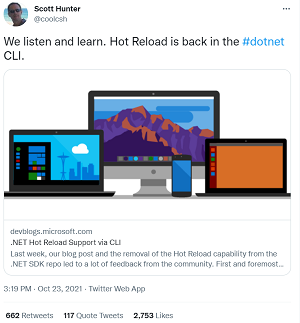 [Click on image for larger view.] 'We Listen and Learn' (source: Twitter).
The original decision and subsequent reversal were met with mixed reaction in GitHub discussion and comments to blog and Twitter posts, with some comments alluding to a business decision and internal disagreement about it, but Microsoft hasn't responded to those.
While the Hot Reload CLI brouhaha dominated discussion of the feature, Lyalin's post also discussed:
- Supported App Frameworks and Scenarios for .NET developers, such as where Hot Reload can be used and through which startup experience
- Improvements to the core user experience in Visual Studio 2022
- What's new for .NET MAUI and ASP.NET scenarios
- Additional supported edits for .NET apps
- Improvements to the end-to-end experience when using both XAML and .NET Hot Reload together in the same edit session (still in preview)
- How Hot Reload improves .NET 6 Unit Testing (experimental)
"Regardless of the type of app you're working on, our goal with Hot Reload is to save you as many app restarts between edits as possible, making you more productive by reducing the time you spend waiting for apps to rebuild, restart, re-navigate to the previous location where you were in the app itself, etc." he said. "We accomplish this by making it possible for you to edit your applications code files and apply those code changes immediately to the running application, also known as 'Hot Reload.' "
About the Author
David Ramel is an editor and writer at Converge 360.