News
VS Code PowerShell Tool Gets Major Feedback-Driven Overhaul
Microsoft's dev team for the PowerShell extension for Visual Studio Code has updated the tool in a major revamp some two years in the making, driven by user feedback submitted via GitHub issues.
"This update represents a complete overhaul of the core PowerShell engine of PowerShell Editor Services, intending to create a more reliable and stable user experience," said Sydney Smith, program manager, in a May 3 blog post.
As such, it features a big laundry list of highlights, from "Rewrite of PowerShell pipeline execution with cancellable and ordered tasks" to "Performance improvements with better cancellation logic."
The PowerShell extension in the VS Code Marketplace has been installed some 5.7 million times, earning an average 3.7 rating (scale 0-5) from 142 reviewers. It helps users develop PowerShell modules, commands and scripts in the wildly popular VS Code editor.
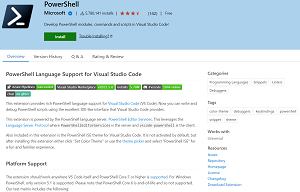 [Click on image for larger view.] VS Code PowerShell Extension (source: Microsoft).
The new updates have been tested in the PowerShell Preview tool in the marketplace, which has been installed more than 200,000 times, earning an average 4.6 rating from five reviewers.
The aforementioned PowerShell Editor Services is the language server for the tool, leveraging the Language Server Protocol, which is used to provide programming language-specific functionality like auto complete, IntelliSense, go to definition, find all references and so on.
To fulfill goals such as improved reliability/stability, testing, feature parity with previous editions and more, the team focused on the tool's threading model.
"Previously the Integrated Console, the shell that is provided by the PowerShell extension, was run by setting threadpool tasks on a shared main runspace, and where LSP, Language Server Protocol, servicing was done with PowerShell idle events," Smith said. "This lead to overhead, threading issues and a complex implementation intended to work around the asymmetry between PowerShell as a synchronous, single-threaded runtime and a language server as an asynchronous, multi-threaded service."
Those asymmetry issues were addressed by a new dedicated pipeline thread that borrows from the JavaScript event loop so code runs synchronously on the correct thread, preventing many race conditions with more reliable and bug-free code.
"This change has overhauled how we service LSP requests, how the Integrated Console works, how PSReadLine is integrated, how debugging is implemented, how remoting is handled, and a long tail of other features in PowerShell Editor Services," Smith said.
A complete list of changes is available in the update's changelog.
Going forward, work items detailed in the associated Projects GitHub page show what's on tap.
About the Author
David Ramel is an editor and writer at Converge 360.