News
Simplified Project Setup for Python in Visual Studio Code
Microsoft's dev team for Python in Visual Studio Code has simplified the project setup experience for its main extension along with many other improvements in the regular monthly update, this for October 2022.
The team develops the Python extension in the VS Code Marketplace, which also automatically installs the associated Jupyter extension and the Pylance language server, for providing Python-specfic "smarts" like auto-completion and so on. Those three tools are by far and away the most popular items in the VS Code Marketplace, with nearly 67 million installs for the main tool, 47.6 million installs for the Jupyter tool and nearly 40 million for Pylance.
While developing those extensions, the team has been busy over the past couple of years improving the getting started and set-up experiences, dating back 2020 when it introduced a new start page.
Those efforts continued in the latest regular monthly update for Python in VS Code, dubbed the October 2022 release, which features simplified project setup with a new command.
"A new Create Environment command has been added that automatically creates a virtual environment or Conda environment for your Python workspace," said the team's Courtney Webster in an Oct. 6 announcement post. "You can trigger the command through the Command Palette (Ctrl + Shift + P or ⌘ + ⇧ + P), select whether you want to create a new virtual environment with venv or a Conda environment, and, finally, select the desired interpreter for your project. The command will also install necessary packages outlined in a requirements/dependencies file, such as requirements.txt, pyproject.toml or environment.yml, located in the project folder. We hope this new feature streamlines the environment creation process and encourages the utilization of environments for coding best practices."
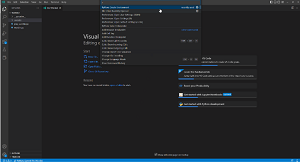 [Click on image for larger view.] Simplified Project Setup in Animated Action (source: Microsoft).
Other highlights of the release as presented by Microsoft -- with links for full information -- include:
- Include, exclude, and ignore paths can now be provided for Pylance: Pylance now lets users include, exclude and ignore paths via VS Code settings. Go here for more information.
- A new autopep8 extension (automatically formats Python code to conform to the PEP 8 style guide) in preview: This tool, like the team's pylint, black, isor, and flake8 extensions, uses the Language Server Protocol to provide formatting support. Go here for more information.
- Python file cell folding: All Python file "cells" denoted with # %% markers can now be folded in the editor, making it easy to collapse sections of code in order to navigate the Python file without extensive scrolling. Go here for more information.
- Tag and parameterize notebook cells: Developers can now add tags and parameterize notebook cells directly in the notebook editor without opening the json format of the document -- which is a feature provided in the main Jupyter extension -- enabling things like parameterization of notebooks for papermill or nbconvert for creating slideshows directly from a notebook. Go here for more information.
- New type checking status button for Pylance: Coders can now set the type checking mode for Pylance through the language status button in the status bar, at the bottom of the editor, with settings including
off, basic and strict. Go here for more information.
The announcement post also describes many other changes and enhancements, ranging from "HTML headers in Markdown cells can now be detected and rendered in the notebook outline views" to "diagnostics are no longer displayed within IPython cell magics." See them all here.
About the Author
David Ramel is an editor and writer at Converge 360.