News
Oracle Offers Java Language Server Tool for VS Code
Oracle announced a language server tool for Java developers using Visual Studio Code to provide language-specific "smarts" in the super-popular, open source-based, cross-platform code editor.
The new offering isn't exactly filling a void, as Microsoft's Java Extension Pack for Java (22.5 million installs) in the VS Code Marketplace bundles the Language Support for Java(TM) by Red Hat tool (nearly 29 million installs).
The new Java Platform Support from Oracle, meanwhile, was just added to the marketplace two days ago, Oct. 18, and at the time of this writing has been installed 1,247 times, earning a perfect 5.0 rating from five developers who reviewed it.
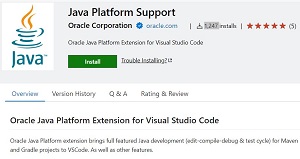 [Click on image for larger view.] Java Platform Support from Oracle (source: Oracle).
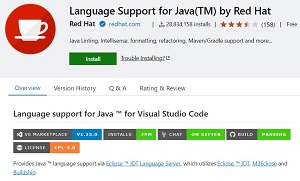 [Click on image for larger view.] Language Support for Java(TM) by Red Hat (source: Oracle).
Oracle noted that there are good specialized IDEs for working with Java, but the huge popularity of VS Code (which acts like a full-fledged IDE with its many extensions) sees many more developers using it -- such as students -- and the company wants everyone to have a good experience in the IDE of their choice. A big difference between the Red Hat Java extension used by Microsoft and the Oracle tool is the language server they're based on.
Language servers, which follow the Language Server Protocol, are instrumental to coding with the VS Code extensions, as Microsoft's Language Server Extension Guide for VS Code says they typically provide functionality including:
- Autocomplete: They offer suggestions for code completion as you type, making it faster and easier to write code.
- Error-checking (Diagnostics): They highlight syntax errors, undefined variables, and other potential issues in your code.
- Jump-to-definition: They allow you to quickly navigate to the definition of a variable, function, or class by clicking on its usage.
- Go-to-reference: They enable you to find all references of a variable, function, or class in your code.
- Hover Documentation: They provide documentation for variables, functions, and classes when you hover over them with your cursor.
- Code Formatting: They automatically format your code according to a specified style guide.
- Refactoring: They assist with renaming variables, extracting methods, and other code refactoring tasks.
- Code Navigation: They help you navigate through your code with features like symbol search and file search.
"At the core of a VS Code extension supporting a programming language is a language server -- a backend that operates the language's tools and communicates with the IDE using the Language Server Protocol," explained Oracle in announcing the new VS Code tool on Oct. 18. "Our Java language server is a slimmed down version of the one we developed in the Apache Netbeans project, and it is based on the OpenJDK JDK's javac compiler for code editing and compilation and on OpenJDK's debugger interface for debugging. This allows us to offer VS Code IDE support for new JDK features as soon as they are introduced, even during Early Access of the JDK. To this effect, our VS Code Extension will support the current JDK releases as well as the next upcoming JDK version."
Oracle said the tool initially supports:
- A project view
- Auto-complete
- Error highlighting
- Jump to definition
- Some forms of automated refactoring
- JavaDoc-on-hover
- Debugging support
- Unit-testing support for JUnit
- Support for Gradle and Maven projects
The Red Hat language server that's used in Microsoft's bundled Java extension pack, meanwhile, says it offers:
- Supports code from Java 1.5 to Java 20
- Maven pom.xml project support
- Gradle project support (with experimental Android project import support)
- Standalone Java files support
- As-you-type reporting of parsing and compilation errors
- Code completion
- Code/Source actions / Refactoring
- Javadoc hovers
- Organize imports
- triggered manually or on save
- when pasting code into a java file with Ctrl+Shift+v (Cmd+Shift+v on Mac)
- Type search
- Code outline
- Code folding
- Code navigation
- Code lens (references/implementations)
- Highlights
- Code formatting (on-type/selection/file)
- Code snippets
- Annotation processing support (automatic for Maven projects)
- Semantic selection
- Diagnostic tags
- Call Hierarchy
- Type Hierarchy
"The increasing popularity of Visual Studio Code as a universal IDE has changed the relationship between programming languages and their IDEs," Oracle said this week. "In the past, developers (at least those who weren't staunch vi or Emacs fans) first picked a language and then picked an IDE for that language. Today, many developers expect that language-agnostic IDEs like VS Code provide good support for every language they might work with. We're proud that Java has excellent specialized IDEs, which many large companies and dedicated Java professions rely on, but there's a large number of Java developers who use VS Code, especially among students learning Java and people who use other languages alongside Java. We want Java programmers to have a good experience in their preferred IDE."
There are other Java language servers available in the VS Code Marketplace, including one based on NetBeans -- just like Oracle's tool -- from the Apache Software Foundation (ASF). Described as a technology preview, the Language Server for Java by Apache NetBeans has been installed more than 126,000 times.
Oracle said its new language server will continue being developed as part of the Apache NetBeans project (Oracle contributed NetBeans to the ASF), and Oracle will continue contributing to that project, but the VS Code extension (the client side) will be developed in a separate open source project.
That open source project on GitHub is Oracle Java Platform Extension for Visual Studio Code.
About the Author
David Ramel is an editor and writer at Converge 360.