News
Java, Python Tooling Advances in VS Code
Microsoft's Visual Studio Code dev teams for Java and Python announced Gradle enhancements for the former and improved Python discovery for the latter.
The company updates its associated extensions on a monthly basis, with the Python tool being the most-installed extension in the entire VS Code marketplace, now boasting more than 131 million installs. The Extension Pack for Java is now at 28.6 million.
 [Click on image for larger view.] Python Extension (source: Microsoft).
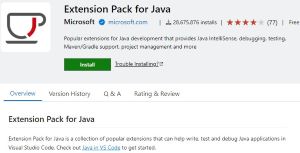 [Click on image for larger view.] Extension Pack for Java (source: Microsoft).
For the Java tool, Microsoft's Nick Zhu today highlighted Gradle enhancements, user experience improvements and new Spring features. The first item on that list comes in the form of HCR support for Gradle Build Server.
"HCR (Hot Code Replace) is an advanced feature that debugger supports in VS Code Java," he said. "It allows you to start a debugging session and change a Java file without restart, and the debugger will replace the code in the running JVM. Previously, this feature does not support Build Server for Gradle which is used in Gradle Extension. With our recent update, we have implemented this support and now you're able to utilize HCR in your debugging session."
Another Grade enhancement is support of "Delegate test to Gradle," which helps devs execute tests in VS Code Java via the Gradle test runner in order to ensure alignment with command-line tools while also leveraging the advantages of Gradle tooling. Initial support is only for "Run Tests," but the team plans to support "Debug Tests" soon.
User experience improvements, meanwhile include the ability create a Java package with a right-click context menu in File Explorer. The team also created a help center for Java developers, particularly VS Code newcomers, to offer helpful resources in one location.
Numerous Spring feature updates include SpEL syntax highlighting and validation such that SpEL expressions inside of annotations (lsuch as @Value) or inside of queries now also have syntax highlighting and basic validation.
Zhu also announced content assist and find reference support for Spring Annotations, with the latest Spring Boot Tools adding advanced support for:
@Profile (auto-completion and find references for profile names)
@Qualifier (auto-completion, go to definition, and find references for qualifier values)
@DependsOn (auto-completion, go to definition for bean names)
@Resource (auto-completion and go to definition for bean names)
@Value (auto-completion and go to definition for classpath: resources)
Python
In addition to the super-popular Python extension, the dev team also handles the related Jupyter tool, boasting some 80-million-plus installs of its own, which speaks to the popularity of data science and related disciplines among VS Code users.
For Python tooling, Microsoft's Courtney Webster yesterday highlighted three announcements:
- Improved Python discovery using
python-environment-tools: This update leverages recently introduced Python environment tools, which prioritize performance by minimizing the need to run Python binaries for information gathering. The new approach, which minimizes the need to run Python binaries for information gathering, is being rolled out experimentally. Users can opt-in by modifying their settings.json file and setting "python.locator" to "native," then restarting VS Code.
- Inline variable values shown in source code: The team introduced an Inline Values feature -- part of the Python Debugger extension -- that allows variable values to be displayed directly within the source code during a debugging session, making it easier to monitor the state of a program. Instead of hovering over variables or checking the variables pane, coders can use this featue -- currently in the exploration stage -- to see the variable values next to the relevant lines of code. To activate it, users need to set "
debugpy.showPythonInlineValues" to true in their User settings.
- Improvements to the VS Code Native REPL for Python: "The experimental native REPL ("
python.REPL.sendToNativeREPL": true) will now display success/failure UI, similar to that in a Jupyter cell, depending on the outcome of execution," Webster explained. "Furthermore, we have made improvements so that we no longer display an empty line on cells that generate no output."
A couple other tweaks include:
- Pylance now provides a way to disable unreachability hints in @pylance-release#6106
- The Debug Welcome view now includes a button for quick access to automatic Python configurations when a Python file is open in the editor
More information is available in Microsoft's Java in Visual Studio Code and Getting Started with Python in VS Code documentation.
About the Author
David Ramel is an editor and writer at Converge 360.